

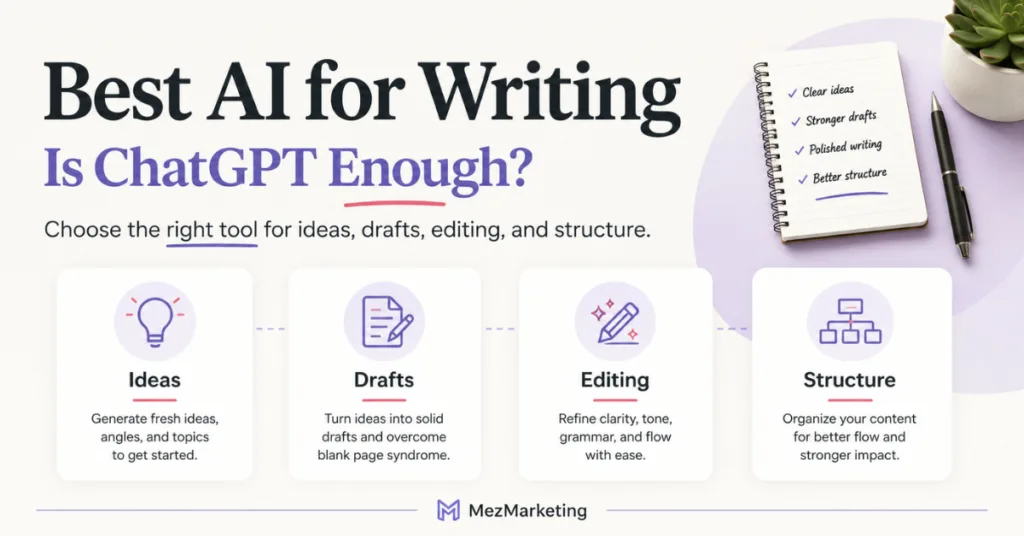
Finding the best AI for writing can get confusing fast when every tool claims it will help you create content more quickly. But quicker doesn’t always mean easier. If your content still feels messy, slow, or hard to finish, this post will help you figure out if ChatGPT is enough or if another AI tool might fit the job better.
Affiliate Disclosure: This post contains affiliate links. If you purchase through my link, I earn a small commission at no extra cost to you. You can find the full disclosure here.
- Introduction
- Key Takeaway
- My Experience Testing AI Writing Tools
- Why Choosing the Best AI for Writing Feels So Confusing
- Is ChatGPT Enough for Writing?
- When Another AI Writing Tool May Make the Job Easier
- Best AI for Writing Ideas and Outlines
- Best AI for Cleaning Up a Draft
- Best AI for Getting Another Angle
- Best AI for Structure and Guided Writing Help
- How to Choose the Right AI Tool for Your Business Writing
- Quick AI Writing Tool Guide
- My Simple Recommendation
- Final Thoughts
Introduction
If you’re looking for the best AI for writing, you may be wondering if ChatGPT is enough.
That is a fair question.
ChatGPT can help with blog posts, emails, captions, outlines, and content ideas, but writing with AI can still feel slow or messy when you don’t know what to ask it to do first.
That doesn’t always mean you need a better tool. Sometimes it means you need to know what part of the writing process you’re stuck on first, because the best AI for writing is not always the tool with the most features.
It’s the tool that helps with the writing job in front of you.
Key Takeaway
- ChatGPT may be enough for many writing tasks, especially if you need help with ideas, outlines, emails, captions, or rough drafts.
- The best AI for writing depends on your business, workflow, and what part of the writing process slows you down most.
- You do not need to pay for every AI writing tool. Start with what you already use, then only test another tool if it solves a specific problem.
- Claude may help with editing and cleanup, Gemini may help with fresh angles, and Typli.ai may help with structure or guided writing support.
- The goal is not to have more tools. The goal is to find the right tool for the writing job you are trying to finish.
My Experience Testing AI Writing Tools
I test AI tools from the perspective of a small business owner, not a tech expert trying to make everything sound complicated.
I also keep Google’s helpful content guidance in mind, because AI-assisted content still needs to be useful, original, and written for people first. For my own content, I use AI to help with blog ideas, outlines, email drafts, social posts, editing, and repurposing content.
I have also tested ChatGPT, Claude, Gemini, and Typli.ai separately, which helped me see that each tool can be useful in a different part of the writing process, but I don’t believe every business owner needs to pay for every AI tool.
Testing them separately helped me see the differences more clearly. ChatGPT felt strongest as a flexible starting point, Claude stood out more for cleaning up drafts, Gemini helped when I wanted another angle, and Typli.ai made sense when I wanted more structure while writing.
Many AI tools also have free versions, trials, or limited free use, so you can test what fits your workflow before adding another paid tool to your business.
Why Choosing the Best AI for Writing Feels So Confusing
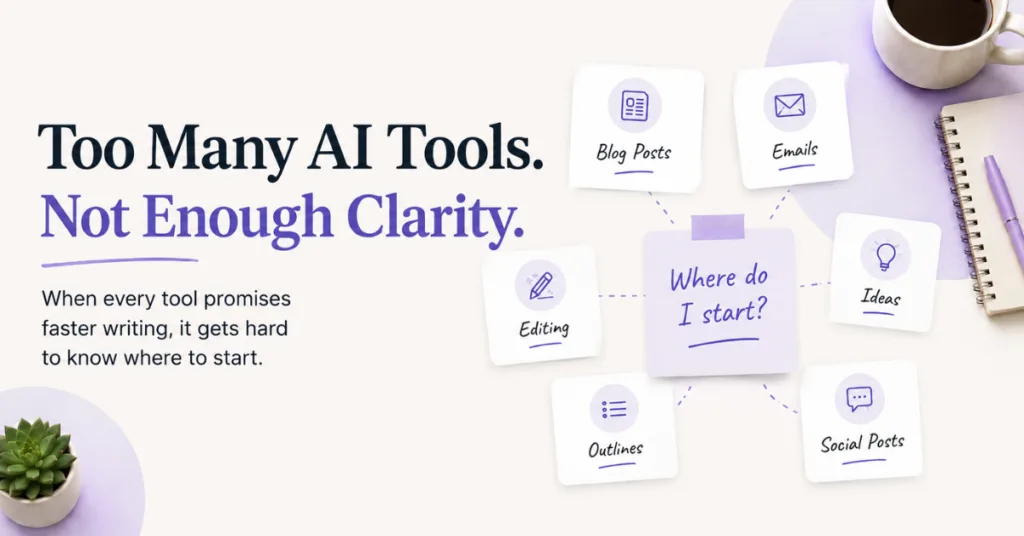
There are a lot of AI writing tools now, and most of them promise the same thing. Faster content, better writing, and less stress. That sounds great until you open the tool and still don’t know what to ask.
Or you ask it to write something, and the answer comes back bland, stiff, or not useful enough to publish.
Then you start wondering:
- Do I need a better AI tool?
- Should I be using Claude instead of ChatGPT?
- Is Gemini better for writing?
- Would Typli.ai make this easier?
- Am I using AI wrong?
That’s where beginners can get stuck. The problem isn’t always the tool. Sometimes the issue is asking a single tool to handle the entire writing job all at once.
Is ChatGPT Enough for Writing?
For many small business owners, ChatGPT can be enough for everyday writing tasks.
What ChatGPT Can Help You Write
- Blog post ideas
- Blog outlines
- Email drafts
- Social media captions
- Facebook post ideas
- Content repurposing
- Headline ideas
- Editing help
- Simple research planning
- Turning rough notes into content
That’s why ChatGPT is a strong starting point. It’s flexible, easy to use for different writing jobs, and often enough, when you give it clear direction.
Why Clear Instructions Matter
ChatGPT works best when you give it a clear job. OpenAI also recommends giving clear instructions and context so the tool understands what kind of answer you need.
A vague prompt like:
“Write me a blog post about AI tools.”
That usually gives you a generic answer.
A better prompt would be:
“I’m writing for busy, non-techy small business owners. The topic is choosing the best AI for writing. The angle is that ChatGPT may be enough for many writing tasks, but other tools may help with certain jobs. Give me a simple blog outline with a quick answer near the top.”
That gives the tool direction. So no, you’re not doing AI wrong if you mostly use ChatGPT. You might just get better results by giving it one clear writing job at a time.
Read my ChatGPT Review 2026 to see where it fits best for everyday business writing.
When Another AI Writing Tool May Make the Job Easier
ChatGPT can handle a lot, and for many writing tasks, it may be all you need, but depending on your business, workflow, and the content you create, another AI tool might fit a specific job better.
That doesn’t mean you need a paid subscription to every tool. It means you should look at the task first and test what fits your business before adding anything new.
Start With the Writing Problem First
Before you choose a tool, ask yourself. What part of the writing process is slowing me down?
You may need help getting started. A draft might already be written, but it still needs to sound cleaner. The topic could use a stronger angle, or scattered ideas may need to be organized into something useful.
Those are different writing problems, and different AI tools may help in different ways.
Best AI for Writing Ideas and Outlines
If you’re stuck at the beginning, ChatGPT is usually one of the easiest places to start. This is where it can help you move past the blank screen.
How ChatGPT Helps With Ideas and Outlines
You can ask ChatGPT to help you:
- Brainstorm blog post ideas
- Create content angles
- Build a simple outline
- Find pain points your reader may care about
- Turn one topic into several content ideas
- Create email or Facebook post ideas from a blog topic
This helps when you know you need content but do not know where to begin.
Better Prompt Example for Blog Ideas
For example, instead of asking:
“Write a blog post about AI.”
Try asking:
“Give me 5 blog post angles about the best AI for writing for busy small business owners who feel overwhelmed by too many tools.”
That gives you a better starting point. The more specific you are about your audience, topic, and goal, the more useful the answer will be. That saves you from getting a generic draft you have to completely rewrite later.
Best AI for Cleaning Up a Draft
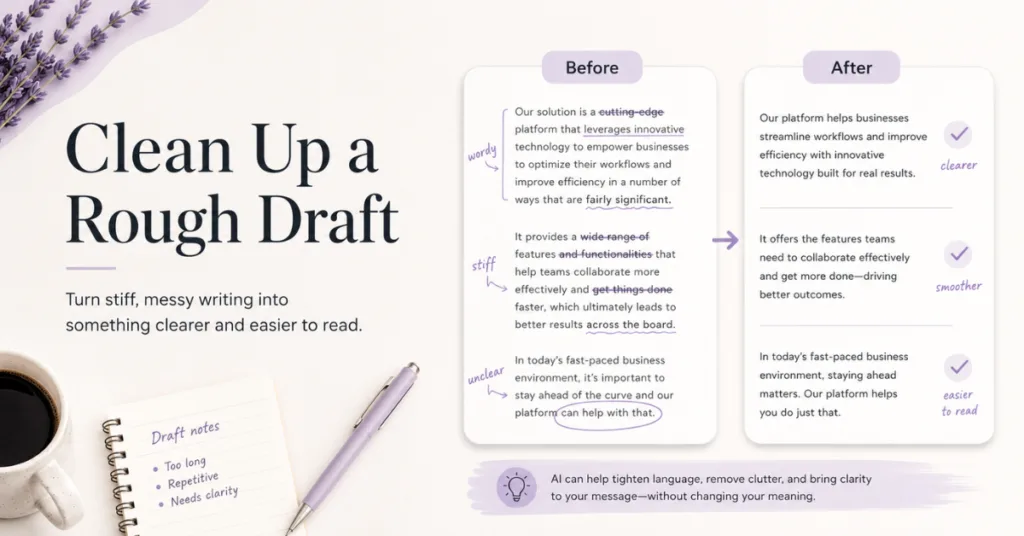
If you already have a draft but it sounds stiff, wordy, or not like you, Claude may be a better fit for cleanup.
This is where Claude can be useful. Not for starting everything from scratch, but for making something you already wrote clearer.
How Claude Helps With Editing and Cleanup
Claude may help with:
- Smoothing out rough writing
- Making paragraphs easier to read
- Cleaning up awkward sentences
- Improving flow
- Making content sound more natural
- Tightening long sections
This helps when you have the main idea written, but it doesn’t feel ready to publish. That is a different writing job from brainstorming. You’re not asking AI to create the whole thing. You’re asking it to help improve what is already there.
Read my Claude AI Review to see why it may help with cleaner drafts.
Best AI for Getting Another Angle
Sometimes your writing isn’t terrible. It just feels a little flat. The idea is there, but it needs a stronger angle or a different way of looking at it.
That is where Gemini might help you. It can be useful when you want to compare ideas, look at a topic from another direction, or see if there is a better way to frame what you are trying to say.
Google’s Gemini prompt guidance also points out that prompt design is about creating clear requests that lead to higher-quality responses.
How Gemini Helps With Fresh Ideas and Angles
You might use Gemini when you want to:
- Find a different angle for a post
- Compare two ideas
- Expand on a topic
- Think through pros and cons
- Get another perspective
- Work through business content ideas
This is helpful when you know the topic is worth writing about, but you need help making it more specific, useful, or interesting for your reader.
A Simple Example of a Stronger AI Writing Angle
For example, your first idea may be:
“Best AI writing tools.”
But a better angle may be:
“Is ChatGPT enough for writing, or should you use another tool for certain jobs?”
That angle is more useful because it answers the real question beginners are asking.
Read my Gemini AI Review for Business to see how it can help you with fresh ideas and angles
Best AI for Structure and Guided Writing Help
If you struggle to start or organize content, Typli.ai might make the process easier for you.
This is where Typli.ai fits differently. It isn’t just another blank chat box. Typli.ai can be very helpful when you want more structure.
How Typli.ai Helps With Structure and Templates
You may use it for:
- Blog post ideas
- Outlines
- SEO writing help
- Titles
- Email content
- Social media content
- Guided writing support
This helps if prompts overwhelm you or you want a more organized writing setup. For some beginners, that structure can feel easier than starting from scratch, so if organizing content is your biggest struggle, Typli.ai might be worth testing.
Read my Typli.ai Review to see how it helps with structure and guided writing
How to Choose the Right AI Tool for Your Business Writing
Here is the simplest way to decide. Don’t start by picking a tool. Start with the writing problem that you need to solve.
One Question to Ask Before Choosing an AI Tool
Before you pick a tool, ask yourself. What am I trying to do right now? Maybe you need ideas, outlines, captions, emails, or a rough draft. In that case, ChatGPT is usually a good place to start.
Already have a draft that needs to sound cleaner or more natural? Claude may help with that part. Need a fresh angle or want to compare a few ideas before you choose one? Gemini might be more useful.
Looking for more structure, templates, or a guided writing setup? Typli.ai might make the process easier for you. That’s the real shortcut. Not using more tools just to use more tools. It is knowing which tool fits the part of writing that is slowing you down.
A Quick Note Before You Choose a Tool
You don’t need to use all of these tools, and you do not need to pay for all of them just to write better content. Think of this as a simple guide to help you decide what to test first.
Start with the tool you already use. If it solves the problem, stay there. If it doesn’t, then it might be worth trying another tool that fits that specific job better.
That is smarter than signing up for everything and hoping one tool magically fixes your content.
Quick AI Writing Tool Guide
| If you are stuck on… | Try this tool first | Why it may help |
|---|---|---|
| Ideas or outlines | ChatGPT | Flexible for brainstorming and starting content |
| Rough drafts | ChatGPT | Helpful for getting a first version on the page |
| Editing or cleanup | Claude | Useful for making drafts sound more natural |
| A different angle | Gemini | Helpful for comparing ideas or expanding a topic |
| Structure or templates | Typli.ai | Good for guided writing and organized content |
This is not about picking one winner. It’s about picking the right tool for the job.
My Simple Recommendation
If you’re a beginner, start with ChatGPT or whatever AI tool you already use.
Get comfortable giving it clear instructions. Use it for ideas, outlines, emails, captions, blog drafts, and turning one piece of content into something else. That may be enough for a while.
When It Makes Sense to Try Another AI Tool
Only test another tool when you know what problem you’re trying to solve, and if there is a free version, trial, or limited plan, start there first. You don’t need another monthly bill unless the tool truly saves you time or helps you finish your content faster.
If your drafts sound stiff, Claude may help you. If you need a better angle, Gemini may be useful. If you want more structure or templates, Typli.ai may make writing feel less scattered.
That way, you’re not chasing tools just because everyone is talking about them. You’re building a simple writing process that makes sense for your business, and that is when AI becomes a lot more useful.
Final Thoughts
The best AI for writing isn’t always the newest tool or the one everyone is talking about. It’s the one that helps you finish the writing job in front of you.
For many small business owners, ChatGPT might be enough, but if you need cleaner drafts, better angles, or more structure, another AI tool may make that specific step easier.
Before you sign up for anything new, just ask yourself. What do I need help with first? That one question can save you time, money, and a lot of AI confusion.
AI should make writing easier, not give you one more thing to overthink.
Related Posts to Help You Use AI Better
See how ChatGPT fits with visual content tools like Canva AI.
Learn how to turn ideas into a repeatable content workflow.
Get simple tips for using AI without making your writing feel stiff, generic, or robotic.
See more beginner-friendly AI tools that can help with content, organization, marketing, and everyday business tasks.
Want Help Knowing What to Ask AI?
One thing this post makes clear is that AI writing works better when you know what kind of help you need first.
The hard part is not always writing the content. Sometimes it is knowing how to explain what you need clearly enough for AI to give you something useful back.
That’s where my free AI Prompt Toolkit can help.
It gives you simple prompts for blog ideas, outlines, captions, rewrites, content planning, and clearer messaging, so you’re not sitting there wondering what to type or trying to fix a messy first draft later.
You’ll also get my weekly AI tool reviews, comparisons, and online business tips to help you choose tools smarter and save time in your business.
Just fill out the form below.
We respect your privacy. You can unsubscribe at any time.
Thanks for reading. I hope this post helped you see when ChatGPT may be enough and when another AI writing tool might make a specific job easier.

If this post helped you think differently about using AI for writing, please share it with another small business owner or content creator who is trying to save time without signing up for every tool out there.



Hi Meredith – I really enjoyed this post. One thing that stood out to me was your reminder that the best AI tool is not necessarily the one with the most features, but the one that helps solve the problem right in front of you. I think a lot of people get caught up chasing the next shiny tool when they could get much better results simply by learning how to use the tools they already have more effectively.
I also appreciated how practical and beginner friendly your advice was. Your comparison of ChatGPT, Claude, Gemini, and Typli.ai helped cut through a lot of the noise and made the decision process feel much less overwhelming. Thank you for sharing your experiences and helping business owners, like me, focus on the work that matters most instead of getting lost in the technology.
Hey Ernie!
I love how you said this because that is exactly the trap so many of us fall into, thinking the next tool will magically fix everything.
Most of the time, it really does come down to slowing down and asking yourself, “What am I trying to do right now?” Once you know that, choosing the right tool gets a whole lot easier.
I’m so glad my post helped make the options feel less confusing for you. That was my goal with this one, not to tell everyone they need another tool, but to help make the ones they already use feel a little less overwhelming.