

If you’re tired of spending hours every week trying to figure out what to post and still ending up inconsistent, batch content creation with AI might be the solution you’ve been missing.
Most creators waste time jumping between ideas, tools, and last-minute posts, but this guide breaks down a simple system that saves you 8+ hours a week while finally helping you stay consistent.
By the time you finish reading, you’ll know exactly how to plan, write, design, and schedule a full week of content without the exhaustion or guesswork.

Affiliate Disclosure: This post contains affiliate links. If you purchase through these links, I may earn a commission at no extra cost to you. I only recommend tools I personally use and trust. See full disclosure here.
Introduction
I used to spend every evening writing social posts, scheduling content, and still feeling behind, until I discovered AI-assisted content creation, also known as content batching with AI.
For months, I’d sit down at 8 PM, stare at my screen, and think, “What should I post tomorrow?” Then I’d scramble to throw something together. I was spending over 10 hours each week on content creation, and yet I still wasn’t posting consistently. The guilt was exhausting.
Then I discovered how to batch my content with AI tools, and honestly, it changed everything. Now, I can create a whole week’s worth of content in one focused session. Blog snippets, social posts, emails, graphics. I get it all done in about two to three hours every Sunday morning. No more scrambling every day, no more rushing to post at midnight because I forgot.
If you’re tired of the daily content grind and feel like you’re constantly behind, you’re not alone. Most small business owners and solopreneurs spend 7–14 hours per week on content creation, jumping between tools and never feeling like it’s enough.
This post will show you how to use batch content creation with AI to save 8+ hours each week while producing higher-quality, consistent content.
Looking for more tool reviews and time-saving systems?
I test AI tools every week and share what actually works for busy solopreneurs. Browse my latest reviews and guides to discover more ways to save time and grow your online income, with honest breakdowns.
- Introduction
- What Is Batch Content Creation with AI
- Why Batch Content Creation with AI Helps Solopreneurs Save Time
- Best AI Tools for Batch Content Creation & Social Media Workflow
- My 7-Step System for Creating a Week of AI Content in 2 to 3 Hours
- Common Mistakes to Avoid When Using AI for Batch Content Creation
- Daily vs. Batch Content Creation: Save Time & Reduce Stress with AI
- How Batch Content Creation with AI Can Transform Your Workflow
What Is Batch Content Creation with AI
Batch content creation with AI means creating multiple pieces of content in one focused session using artificial intelligence (AI) tools like ChatGPT and Simplified. Instead of writing posts daily, you plan, create, and schedule everything for the week in just a couple of hours. This weekly content workflow eliminates daily stress and helps you stay consistent in 2025.
Think of it like meal prepping for your business. You wouldn’t cook dinner every night at 9 PM when you’re exhausted, right? The same principle applies to your content. Batch-create everything when you’re focused and energized, and then let it run on autopilot.
AI tools make this process feasible. Before AI, batching still took 6–8 hours because everything had to be written from scratch. Now, AI handles the heavy lifting, while you add your personality and polish.
Why Batch Content Creation with AI Helps Solopreneurs Save Time
How Batch Content Creation Eliminates Daily Decision Fatigue
Decision fatigue is real. Every time you sit down to create content, your brain asks: What should I post? What format? Which image? By the end of the day, you’re mentally drained, and content creation feels impossible.
When I first batched my content, I couldn’t believe how much mental energy I saved. I make all my content decisions once per week during my Sunday session. The rest of the week, I just engage with my audience.
Studies confirm:
Batching your content increases productivity by up to 30% because you’re not constantly switching between tasks. Your brain stays in “content creation mode” instead of bouncing between emails, client work, and random post ideas.
How AI Batch Content Creation Improves Your Content Quality
I was surprised by this. I assumed batching would make my content feel rushed or generic—but the opposite happened.
Batching all your content in one session lets you see the bigger picture. You spot repeated topics, keep your messaging consistent, and make sure everything flows smoothly throughout the week. Plus, you’re creating when you’re fresh and focused, and not at 10 PM, running on empty.
I went from spending 10+ hours per week on mediocre content to just 2 to 3 hours on content I’m proud of.
Stay Consistent Without Burning Out Using AI Batch Content
Consistency builds an audience, but it can also lead to burnout. Posting every day manually is exhausting. So many content creators do this and burn out fast. I used to be one of them!
Batching removes that pressure. You create once, schedule everything, and show up to engage instead of scramble. It’s the difference between constantly reacting and being in control.
📥 FREE DOWNLOAD: The AI Prompt Toolkit – 25 copy-paste prompts to save 10+ hours per week.
Want more ways to use ChatGPT in your business? Get 25 copy-paste prompts that save busy entrepreneurs 10+ hours every week. Perfect for marketing, content creation, customer service, and more.
Download Now – It’s Free!

Fill the form out below with your name and best email, and the free “25 AI Prompt Toolkit” will come straight to your inbox.
We respect your privacy. Unsubscribe anytime.
Best AI Tools for Batch Content Creation & Social Media Workflow
I don’t use expensive tools or complex systems. Everything I recommend costs less than $50/month, and many have free plans. It all depends on what you need in your business at that time.
ChatGPT & Claude: Your AI Content Brain & Writing Tools All in One
ChatGPT (or Claude) helps brainstorm ideas, write captions, draft emails, and outline blog posts. The free version works perfectly for batch content creation.
I generate 7–10 content ideas in under 5 minutes, then have AI draft first versions of all captions. It’s like having a writing assistant who never sleeps.
Cost: Free (basic accounts)
Simplified: AI Design & Writing Tools All in One Place
Simplified combines AI writing and graphic design, eliminating the need to juggle Canva and Google Docs. It’s nice having it all in one place.
You can create social graphics, write captions on Simplified, and even generate video content. Templates are beginner-friendly, and I can make 7 graphics in under 15 minutes.
There is so much more that Simplified does that I can’t list it all here, but you can read my full review on Simplified here after testing it and using it myself.
Cost: Free plan available, paid from $19/month as of Nov. 2025. Subject to change at any time.
Predis.ai: Social Media Content Generator & Scheduler
Predis generates posts with AI, creates graphics, and schedules everything directly. Predis.ai does some of the same things as Simplified.
It’s perfect when batching a month of social content. Particularly strong for Instagram and LinkedIn.
Cost: Free trial, paid from $19/month as of Nov. 2025. Subject to change at any time.
Read my honest Predis.ai review here
QuillBot: Edit & Humanize AI-Generated Content
AI can sound robotic. QuillBot paraphrases and polishes text, adding a natural, conversational tone. My favorite feature on QuillBot is the AI Detector and the Humanizer.
You can read all about my review on QuillBot here to see if it is an AI platform you could use in your business.
Cost: Free, premium $19.95/month as of Nov. 2025. Subject to change at any time.
Notion & Trello: Plan Your AI Content Calendar Efficiently
Plan your week’s content in Notion or Trello. Brain dump ideas, organize by topic, and map out daily posts.
Cost: Free
Tip: You don’t need all the tools. Start with ChatGPT + Canva (free), then expand. I began with just ChatGPT for $0 and free Canva when I started. I only expanded on tools as I grew, and it was needed.

My 7-Step System for Creating a Week of AI Content in 2 to 3 Hours
Here’s exactly how I create a week of content in just 2 to 3 hours every Sunday.
Step 1: Brain Dump Your Content Ideas (10-20 Minutes)
Open ChatGPT or Claude and use this prompt:
Prompt: “Give me 10 content ideas for [your niche/topic] that solve beginner problems. Make them varied. Include tips, questions, stories, and how-tos. Number them 1–10.”
Example output you’ll get:
- Tip: 3 ways to save time with AI
- Question: What’s your biggest content creation struggle?
- Story: How I automated my social media
- How-to: Create graphics in 5 minutes with Simplified
- Tip: Free tools I can’t live without
- Question: Which AI tool should I review next?
- Behind-the-scenes: My Monday content routine
Pick your 7 favorites and copy them into Notion or Google Docs. Done! Your week is planned in 10 minutes.
Try This Now:
Open ChatGPT right now and use the prompt I gave you above. Pick your 7 favorites and don’t overthink it, just pick the ones that feel most natural to you. Give it a try and see what you come up with, then come back to read about the other tips in this post.
Step 2: Batch Write All Your Captions (30 Minutes)
Go back to ChatGPT or Claude and use this prompt for each of the 7 topics:
Prompt: “Write a social media post about [topic from your list]. Keep it under 150 words, use a conversational tone, include a hook at the beginning that addresses a pain point, add a call-to-action, and make it engaging. No hashtags yet.”
Do this 7 times, one for each day of the week. Copy all 7 captions into a Google Doc.
Here’s the key: Don’t just use what AI gives you. Edit each post to sound like YOU. Add your personality, your emojis, your stories. AI gives you the structure; you add the soul. This makes all the difference.
I used to skip this step and just copy-paste AI content. Big mistake! You don’t want to do that because everything sounds generic. Now I always add personal touches, and it makes a big difference in my content.
Tip: Humanized AI content gets 3x more engagement than copy-paste drafts.
For more tips on making AI content sound human, check out my guide on how to humanize AI content.
Step 3: Create Visuals in Bulk (30 Minutes)
Open Simplified or Canva (free versions work great).
Quick workflow:
- Search for “Social Media Post” templates
- Pick one template you like
- Customize it 7 times (change text, colors, images for each post)
- Download all 7 graphics
That’s it! You now have 7 posts with custom graphics.
Pro tip: Don’t try to make each graphic “perfect” or totally unique. Pick 2-3 templates and reuse them all week with different colors and text. Your audience cares about your message, not fancy graphics. Consistency beats perfection every time.
Step 4: Edit for Your Voice (20 to 30 Minutes)
This is where you turn AI-generated content into your content.
Read everything out loud. If it sounds weird when you say it, it’ll sound weird to your audience. Add personal stories, emojis, or conversational phrases like “Here’s the thing…” or “I’ll be honest…”
Use QuillBot to check for robotic phrases. Look for things like “In today’s digital landscape” or “It is important to note.” Replace them with how you would normally talk.
Check for repeated words or phrases. AI loves certain phrases and will use them in every post if you don’t catch it. This is non-negotiable—it separates content that converts from content that’s ignored.
Step 5: Schedule Everything at Once (20 Minutes)
Open Predis.ai, Buffer, Metricool, or your platform’s native scheduler (Instagram, LinkedIn, Facebook all have built-in scheduling now).
Quick scheduling process:
- Upload your 7 posts + graphics
- Schedule them to post Mon-Sun at your best times
- Hit “Schedule”
Done!
Best posting times in 2025:
According to recent social media studies, the highest engagement times are typically 9-11 AM and 7-9 PM on weekdays, with Wednesday and Thursday performing best for most industries. But test this for your audience. Your results may vary.
I schedule everything on Facebook usually between 2-4 pm because my audience is online more in the afternoon. On Instagram, I schedule it for more in the mornings, only because those are active times. You have to see what works best for you. Consistency in timing matters.
Step 6: Repurpose Into Other Formats (20 Minutes – Optional)
This is where batching gets really powerful. Take one piece of content and turn it into multiple formats.
Example workflow:
- Blog post → 3 social posts highlighting different points
- One social post → Email to your list expanding on the idea
- Social post → LinkedIn article with more depth
- Blog snippet → Pinterest pin with graphics
Use ChatGPT to repurpose content fast:
Prompt: “Take this [blog post/social caption] and turn it into [an email/3 tweets/a LinkedIn post]. Keep the same core message but adjust the format and tone for the platform.”
One long-form piece can become 10+ short-form posts. I do this monthly to maximize every piece of content I create.
Step 7: Review and Adjust (5 Minutes)
Final scan:
- Check links and make sure CTAs are clear
- Verify images are uploaded correctly
- Read content one last time
It took me a total of 2 hours and 50 minutes to create an entire week of content, and I saved 8–10 hours versus doing it daily. That’s time I can spend on other client work, family, or actually growing your business instead of constantly scrambling to post.
Common Mistakes to Avoid When Using AI for Batch Content Creation
Trying to batch too much at once
People often try to batch a month of content all at once, burn out after three hours, and give up. Start small and batch one week at a time. Once you are comfortable with that, then scale to 2-3 weeks.
I tried batching 30 posts for my first time. After 6 miserable hours, the content was terrible from rushing. Now I batch weekly in 2 to 3 hours with much better quality.
Not humanizing your AI content
AI-generated content kills engagement because it often sounds overly formal, repeats itself, and leans on the same generic hooks.
Always edit AI content so it sounds like you. Add your personal stories and throw in your own personality. Your audience follows you, not a robot.
If someone thinks “Did AI write this?” you’ve lost them, so make it sound like it’s coming from a human.
Forgetting to Check Your Links and CTAs
I’ve scheduled a week of posts only to find a broken affiliate link later in my content, or I put a “link in bio” CTA with an outdated bio.
Always do a final review before scheduling. Check links, verify CTAs, and test images on mobile view. It takes 5 minutes and saves major embarrassment.
Skipping the Planning Step
I get it… You want to jump right into creating your content, but if you skip planning, you’ll waste time creating random content that doesn’t connect or serve a purpose. Planning your content out is so important to do.
Spend 10 minutes planning your content themes for the week. Make sure your posts flow, don’t repeat the same topic, and actually help your audience. Planning saves you time in the long run.

Daily vs. Batch Content Creation: Save Time & Reduce Stress with AI
| Approach | Time Investment | Consistency | Stress Level | Quality |
|---|---|---|---|---|
| Daily Content Creation | 1–2 hrs/day (7–14 hrs/week) | Hit or miss | High | Varies (often rushed) |
| Batch Content Creation with AI | 2–3 hrs/week | Very consistent | Low | Higher (focused creation) |
How Batch Content Creation with AI Can Transform Your Workflow
You just learned the exact 7-step system I use every week to create all my content in 2 hours instead of 10+. That’s 8-10 hours back in your life every single week to spend on what actually matters.
Batch content creation with AI isn’t just a time-saver. It’s a stress-reducer, a consistency-builder, and honestly? It’s what finally made me enjoy content creation again instead of dreading it.
Pick one day this week (I recommend Sunday mornings or Monday afternoons) and try batching just 3-4 posts using this system. You don’t have to do all 7 steps perfectly. Just start. See how it feels. I promise you’ll wonder why you didn’t do this sooner.
The tools are there. The system works. You just have to give yourself permission to stop scrambling and start batching.
Related Articles >>
- 7 Simple Content Creation AI Tools to Help Beginners Start Quickly
- Affiliate Marketing with AI: 7 Simple Steps to Earn Money
- Creating Content That Converts: A Beginner’s Guide
🎁 BONUS: The 30-Minute Social Media System
Want an even faster system focused specifically on social media? I created a step-by-step guide that shows you how to batch-create a week of social posts in just 30 minutes. It includes my exact prompts, templates, and planning calendars.
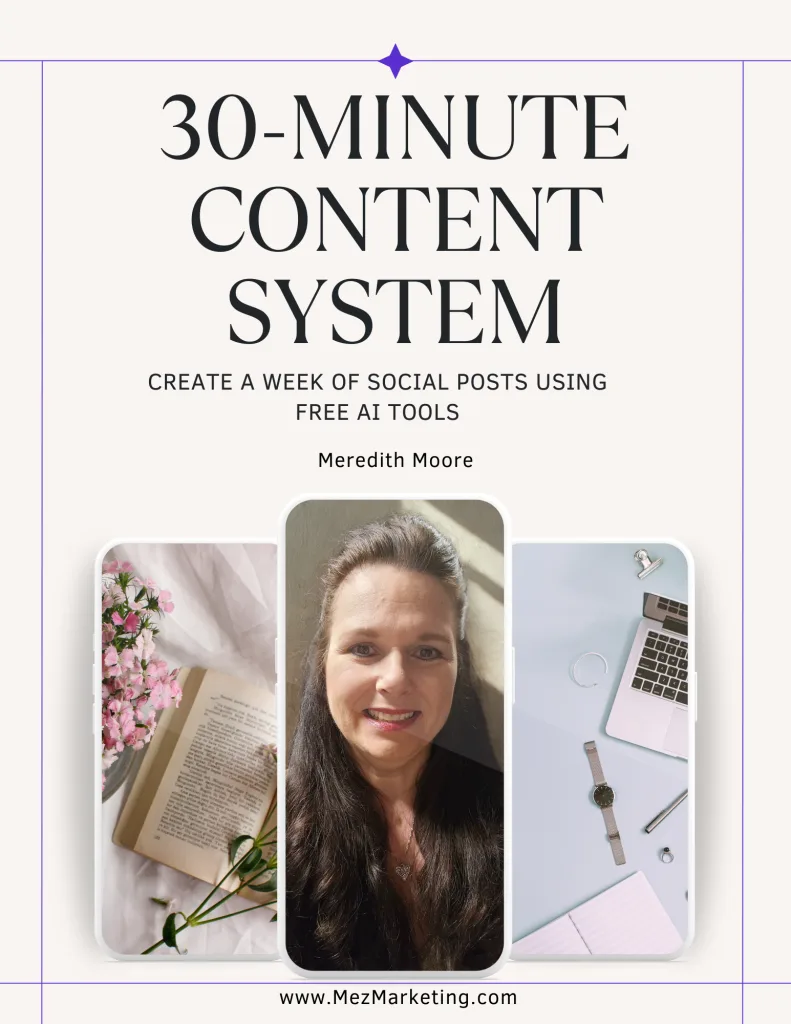
Fill the form out below with your name and best email, and the free “30-Minute Content System” will come straight to your inbox.
We respect your privacy. Unsubscribe anytime.
Have questions about batching content with AI?
Drop a comment below, I read and respond to every one. And if this system saves you even one hour this week, I’d love to hear about it!
Follow me on social media for daily tips and behind-the-scenes content!
To your success,

Tools & Resources
Free Resources to Help You Get Started
- The Iceberg Effect: Discover how small, consistent actions lead to big results in your business. Learn more…
- Affiliate Marketing Free Guide: Learn how to start earning online with affiliate marketing, even as a beginner. Yes, I want to start now!
- ConvertKit: I highly recommend this email marketing platform for automating follow-ups and growing your list. Sign me up, please!
Recommended Tools
- Bluehost: Reliable, affordable hosting to get your website up and running fast. I need this!
- Amazon Office Equipment & Supplies: The desk setup and tools you can use for your business. Shop now!
Disclosure: As an Amazon Associate, I earn from qualifying purchases at no extra cost to you.
P.S. If this workflow helped you, share it with another overwhelmed content creator. They’ll thank you for it!




HI Meredith,
Thanks for this – some brilliant tips and I love how you’ve brought everything together to make it super actionable.
I find it hard to believe that ChatGPT came out only 3 years ago! That’s crazy when you consider how much we’re all relying on it for ideas, planning and creation.
Thanks again for a great post. One to bookmark and revisit I think!
Dan
Hey Dan!
I’m really glad the tips helped. It is wild to think it’s only been a few years and we’re already using AI for just about everything. The fun part is it keeps getting easier and faster to get stuff done once you know how to work with it.
Appreciate you taking the time to read and comment, and I love that it’s “bookmark-worthy”! If you try any of the tips, let me know how they go for you.
Hi Meredith – This was such a powerful breakdown of how AI can completely transform the way we handle content creation. I really appreciate the honesty in the opening. So many of us have lived that “staring at the screen at 10 PM” life, trying to come up with something to post the next day. Your explanation of batching as “meal-prepping for your business” was one of the clearest comparisons I’ve seen.
The 7-step system is incredibly practical, and I love how you emphasized both the efficiency AI brings and the importance of adding your own voice back into the content. That reminder alone saves people from sounding like every other AI generated post out there. Also, your point about repurposing content is spot on. Most creators don’t realize how much value they can squeeze out of a single idea. This is a fantastic guide for solopreneurs who want to save time without sacrificing quality. Have a great week!
Hey Ernie!
That late-night “what on earth do I post tomorrow?” feeling is way too familiar for most of us. That’s exactly why I lean so hard on batching and AI… it just takes the pressure off.
I’m glad the “meal-prep” comparison clicked for you! It really does make content so much easier when you think of it that way. You’re right that adding your own voice is the part that makes the content feel real and not robotic.
If you try the 7-step system, you’ll be surprised how much extra time you get back. Repurposing is one of the biggest time savers out there. One idea can stretch so far.
Hope your week is off to a great start! If you need help turning one of your ideas into a batch, just let me know. Thanks for coming by!
Hi Meredith- great post! It also helps to teach Chat GPT how to sound like me. That’s the first step to content creation success via using AI. For instance, I went through an exercise last week and showed Chat something I wrote- a nonfiction book I wrote some 10 years ago.
It rewrote the book in minutes using the online avenues I am presently pursuing. Then it went on to explain how to use the content in a funnel, how to create lead magnets from the newly revised content, how to insert QR codes into the content etc. it was mind blowing. And exciting!
Hey Kate!
That’s awesome, teaching ChatGPT your voice really is an important part of working with it. Once it understands how you write, everything gets faster and feels a lot more “you.”
And wow, that book example is incredible! Turning something you wrote years ago into fresh content for funnels, lead magnets, and even QR code ideas… that’s such a smart way to breathe new life into what you already have.
If you keep feeding it samples of your style, it gets even better over time. Also, don’t forget, you can use those same rewritten pieces to build out social posts, emails, or even short videos if you want to. One piece of content can go a long way.
Thanks for sharing that, super inspiring!