

Content creation was killing me… I would sit down to write a blog post, and two hours later, I’d have only three sentences. Pathetic, right? I knew AI could help, but I had no idea which one to use or if I would have to drop another $20-30 a month on yet another subscription.
So I started testing Claude AI, the free version, to see if it could actually help me write faster, come up with ideas, and stop feeling like I was drowning in content. And you know what, it did. This review breaks down exactly how Claude works for affiliate marketing, what you can do with the free plan, and whether it’s worth upgrading.

Want a quick overview of all the tools I’ve tested? Check out my Best AI Tools for Small Business Owners guide.
Affiliate Disclosure: This post contains affiliate links. If you purchase through these links, I may earn a commission at no extra cost to you. You can find the full disclosure here.
- Introduction
- What Even Is Claude AI?
- How I Actually Use Claude (The Unglamorous Truth)
- Claude AI Features That Matter (On The Free Version)
- Claude AI pricing: What It Costs & Why I Stick With Free
- Claude vs Other AI Tools I Test
- The Stuff Claude Doesn't Do Great
- Using Claude for Affiliate Marketing (Even If You're New)
- Should You Try Claude AI? My Review
- What I Really Think After Months of Daily Use
- Grab Your Free 25 AI Prompt Toolkit
- Questions People Always Ask About Claude AI
- Helpful Tools & Resources to Grow Your Business
Quick note on how I test AI tools:
I use AI to handle the heavy lifting. That means for outlines, first drafts, structure, and ideas. Then I step in to edit, refine, and make everything sound like me. Every tool I share is something I’ve personally used and measured for real time savings in a working business.
Introduction
I’m gonna be real with you, I probably use Claude AI way too much at this point, which is exactly why I’m writing this Claude AI review.
Not in a “this is the best thing ever” way, but more like when you find that one kitchen tool that actually works and suddenly you’re using it for everything. That’s me with Claude. I use it almost every single day for my online business, and here’s the kicker: I use the free version. Yep, I don’t pay for anything…
So when I thought about what to write for this post, it hit me that’s exactly what you need to hear. So, if you haven’t heard of Claude AI yet or haven’t used it before, I’m going to give you my honest feedback from someone who uses the free version daily to run their business and test what works.
See, my whole thing is testing AI products to save you time and money. If you would like to learn more about it, you can go to my homepage here. I figure out what works and what’s just overhyped garbage, so you don’t have to waste your budget on stuff that doesn’t deliver. That’s what I do, and I use a few different AI tools for different parts of my business because no single tool does everything perfectly.
I’m not a tech person. I don’t have time to mess around with complicated tools, and I definitely don’t have the budget to waste on subscriptions that are not worth it, and I don’t need. If you’re in the same boat, trying to grow your affiliate marketing business, create content consistently, or just trying to figure out this whole “make money online” thing, then this is for you.
This post is all about the Claude AI review for beginners who want to know if it’s worth their time.
Before we dive in, if you want to get way better results from Claude, I put together a free toolkit with 25 prompts that work. Grab your free prompts and follow along as you read.
What Even Is Claude AI?
Claude AI is basically an AI assistant that helps with writing, answering questions, doing research, and a bunch of other stuff. It’s made by a company called Anthropic, and the whole thing runs through conversations. You type what you need, it responds, and you can go back and forth like you’re texting someone.
The difference between Claude and some other AI tools I’ve tried? It doesn’t give you those weird robotic answers that make no sense. It actually gets what you’re trying to do and can handle really long conversations without losing track, and in my opinion, Claude is a more compassionate AI compared to others.
Of course, you do have to give it your information about your business, so it knows what you want, and it sounds like you. For instance, I can paste an entire blog post and ask it to help me fix specific parts, and it remembers everything we talked about before that.
For people like us trying to run online businesses without a whole team, that matters a lot. That’s what this Claude AI review is all about – showing you what actually works.
How I Actually Use Claude (The Unglamorous Truth)
Okay, so I’m not doing anything fancy here. I’m not building apps or writing code or whatever else Claude can supposedly do. I’m just trying to run my affiliate marketing site, test AI products for my audience, and not lose my mind in the process, so I don’t need a lot.
Blog Posts: This is the big one. Besides using Simplified for writing my blog posts, I’ll give Claude my keyword and target audience, tell it what problem I’m solving, and ask for an outline. I like to work between the two AI platforms because one might be able to do what the other may not.
It takes like 30 seconds for me to do instead of me staring at a blank screen for half an hour wondering where to start. Then I write the post myself, but having that structure makes it so much faster.
Email Drafts: I’m terrible at writing emails that don’t sound boring or salesy. Claude helps me draft welcome emails and promotional stuff that actually sounds like me talking to a friend. I still edit everything, but it gets me 80% of the way there.
Quick Research: When I need to understand something fast or find different angles for content, I ask Claude to summarize info or give me perspectives. Saves me from falling down Google rabbit holes for hours.
Editing My Mess: I write pretty rough first drafts. Like, really rough. I’ll paste them into Claude and ask it to clean up awkward sentences or make things flow better. It’s like having an editor who works whenever I need them.
Ideas When I’m Stuck: Those days when my brain just won’t cooperate, and I have no clue what to write about? Claude helps me brainstorm angles I wouldn’t have thought of on my own. I also use ChatGPT prompts that work to get even better results.”
Nothing groundbreaking, but these are the things that keep my business moving forward instead of getting stuck. That’s the real value in this Claude AI review – showing the everyday practical stuff.
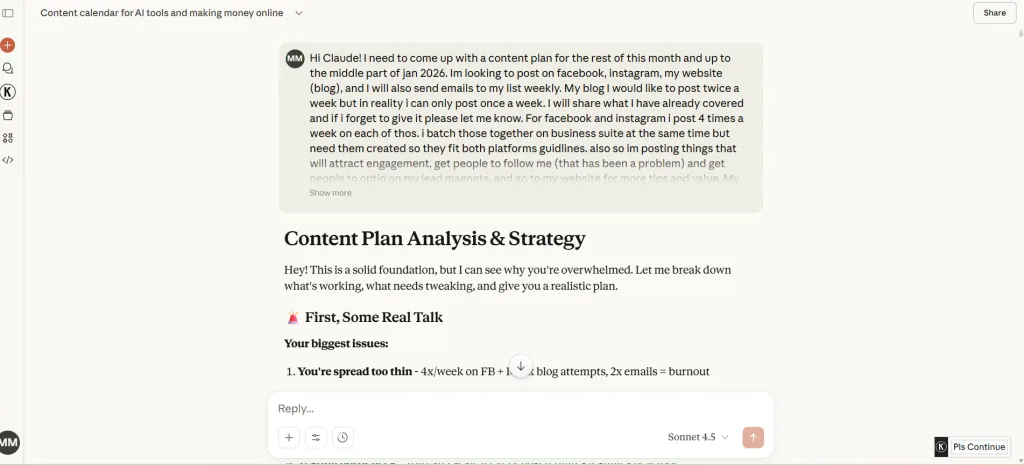
Claude AI Features That Matter (On The Free Version)
Look, I only use the free version, so I can only speak to what’s available there. But honestly? It’s pretty solid for what I need.
Just Talk to Claude AI
No complicated commands or prompts to memorize. You literally just type what you need like you’re texting someone. Although prompts do help drastically to get the output you want, and not some generic response. Any AI you use is prone to doing that unless you give it detailed prompts of what you want. Although if you don’t like the answer you get at first, you can say “no, make it more casual” or “can you add more detail about X?” and it will adjust.
It Handles The Long Stuff
Claude can work with really long documents all at once. I’ve pasted competitor blog posts, my own drafts, and even multiple pages of notes, and it doesn’t freak out or give me error messages like some other AIs will. Makes comparing things or getting feedback on longer content way easier.
It Adapts How It Writes
If you need a professional copy? Casual blog vibes? Educational content? Just tell Claude what tone you want, and it switches. I’ve used it for everything from friendly blog posts to more formal stuff, and it changes instead of giving you the same robotic style every time.
Claude AI Web Search Features
This is huge… Claude can search the internet for current info. So you’re not getting outdated answers from like 2022. This is super helpful when you’re writing about trends or need recent data for your content.
Claude AI Projects Feature (Yes, Even on Free!)
I just came across this not long ago, and I was surprised by this one. Even the free version lets you organize work into projects, and this is what I loved about it. It won’t forget your conversation when you come back to it, so you’re not starting from scratch every single time explaining who your audience is or what tone you want.
You can keep different projects for different parts of your business. For instance, one for blog content, one for emails, and one for product reviews, each maintaining its own memory and context. Way better than regular conversations where Claude forgets everything as soon as you start a new chat. Pretty handy when you’re juggling multiple content ideas and don’t want to repeat yourself constantly.
Claude AI pricing: What It Costs & Why I Stick With Free
Let’s talk about money, because when it comes down to it, that’s what we all really care about.
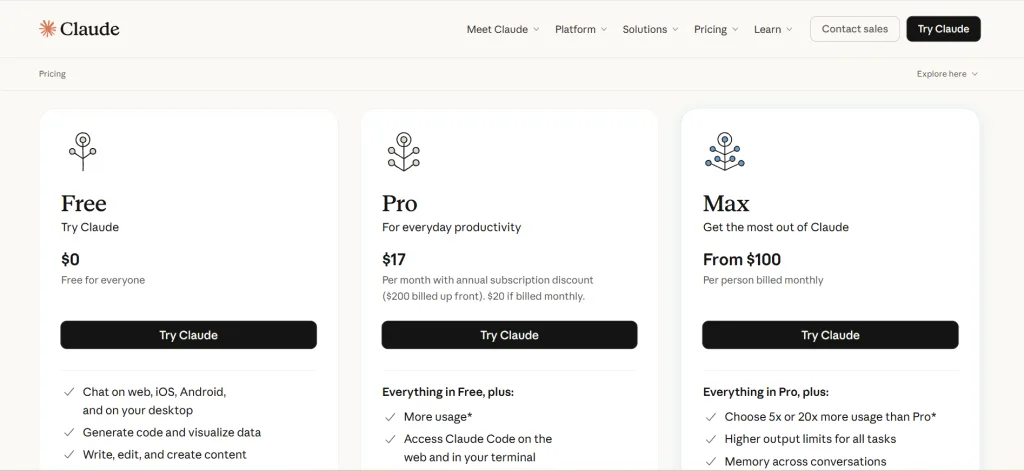
Free Version (What I Use)
You get most of the main features, which is honestly pretty generous. The catch is you can only use it so much before it tells you, “Your time is up for now, come back at 6 pm.” There’s a limit on messages every 5 hours or so, so all I do is pace myself with my questions and conversations. I use a lot of prompts so Claude knows what I want right away, and there’s not a lot of going back and forth, so I won’t get cut off. It works out well for me.
For testing AI tools and creating content a few times a day, free is enough for me. I hit the limit sometimes, but then I just switch to one of the other AI tools I test (like ChatGPT or Grok) and keep working if I need to do that.
Pro Plan: $17–$20 Monthly (Yearly Discounts Available)
Twenty dollars a month gets you way more usage. Check current Claude pricing here, as rates may change. My understanding it’s like 5 times more than free. Plus, you get priority access when everyone else is using it and access to better AI models like Opus. It just depends on what you need to get out of it.
For what I need it to do to run my business. For instance, blog outlines, email drafts, and editing help, the free version does the job. I don’t need the bigger features, but if you’re someone who creates way more content than me, needs faster access during busy times, or wants the most powerful models for complex stuff like coding or super detailed research, then Pro might make sense for you.
Team Plans
There are business plans starting around $25-30 per person monthly, but those are more for teams and agencies. Not really what most beginners need.
My Take on Claude AI
I started with free and stuck with free because it works for my needs. The usage limits make me prioritize what I actually need help with instead of just mindlessly asking AI to do everything. If you’re just starting out, test the free version first. Use it for a couple of weeks. If you keep hitting the usage limit every single day and it’s slowing you down, then upgrade, but don’t pay for stuff you don’t need. You’ll just be wasting your money.
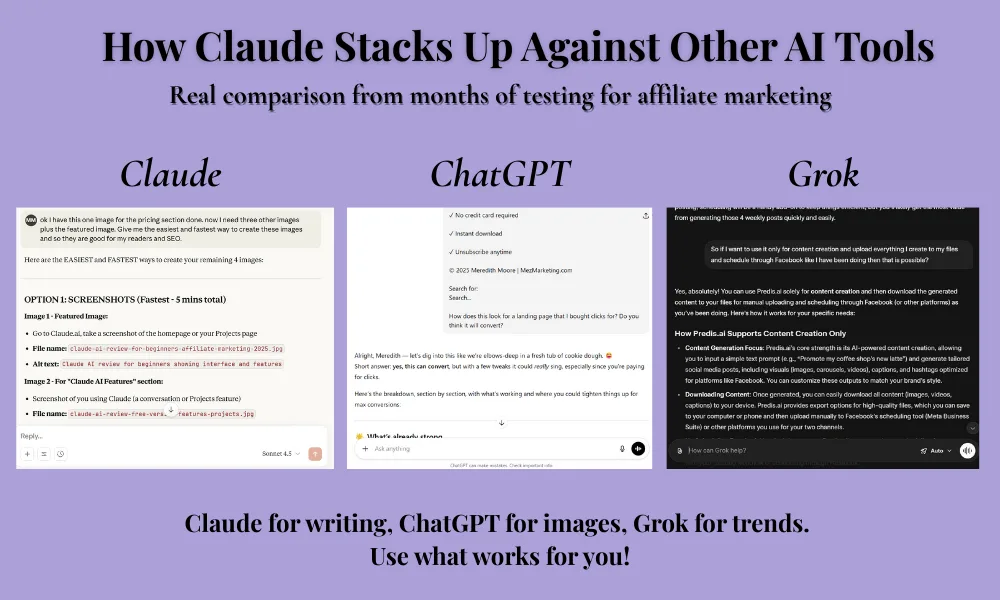
Claude vs Other AI Tools I Test
Because this is what I do, test AI products to see what works, let me break down how Claude compares in this Claude AI review to the other tools I use.
Claude vs ChatGPT: I use both. Claude is better for longer, more thoughtful content and understanding context. ChatGPT is better for quick tasks, making images (it has DALL-E), and broader general knowledge. Honestly, I switch between them depending on what I need.
Claude vs Grok: Grok is newer and has access to real-time Twitter data, which is cool for trending topics. But Claude handles longer documents better and gives more detailed responses. I use Grok when I need current social media insights, and Claude for content creation.
My Multi-Tool Approach: Here’s the reality – I don’t rely on just one AI. Claude is my main tool for content and detailed work. ChatGPT is my backup when I hit Claude’s limits or need images. Grok gives me social media trends. Testing different tools is literally my job, so I’ve learned what each one does best.
For affiliate marketing and content stuff specifically, Claude is my go-to because the writing quality is better, and it actually understands what I’m asking for. I do have a few others I rely on for content creation, like Predis.ai and Simplified, but like I said before, every AI platform does something different. If you want to learn more about Simplified and Predis.ai, then read the comparison article I did for these two here.
The Stuff Claude Doesn’t Do Great
Because no tool is perfect, and this Claude AI review wouldn’t be honest if I didn’t mention the limitations:
You Can’t Use It Unlimited: There are caps on usage, even on paid plans, but especially on free. If you’re trying to do like 50 AI tasks a day, you’ll hit limits fast. For normal use, it’s manageable, though.
No Image Creation: Unlike ChatGPT, Claude can’t make graphics. You need other tools for that. This is why I use multiple AIs.
Sometimes It Won’t Do Things: Claude is built to be really safe, so sometimes it refuses to do stuff that seems totally harmless. It’s annoying occasionally, but I get why they did it.
Learning Takes Time: Basic stuff is easy, but figuring out the best way to ask for what you want takes practice. I’m still learning after months of use.
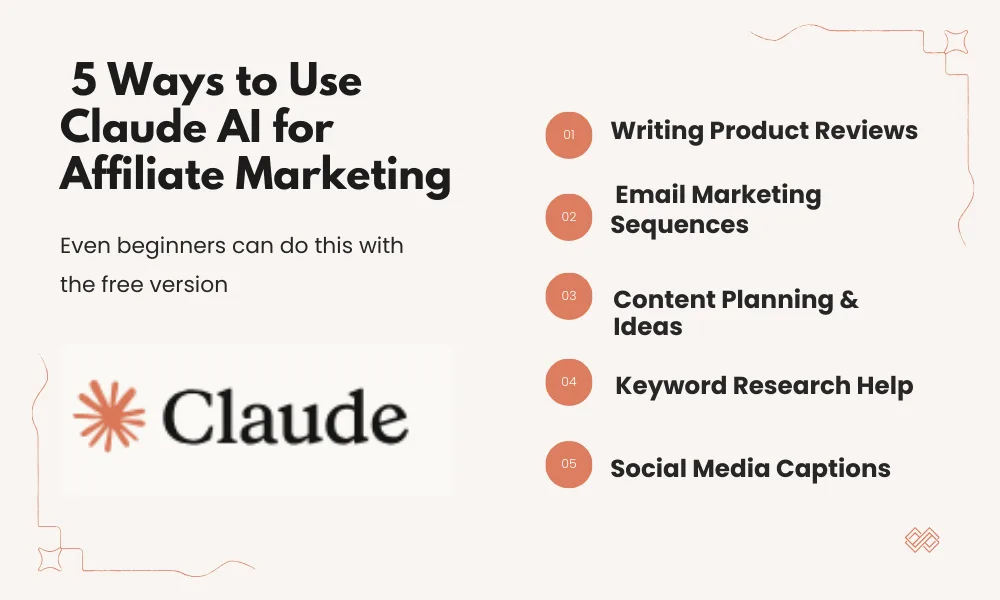
Using Claude for Affiliate Marketing (Even If You’re New)
This is where my Claude AI review gets practical. Here’s how it actually helps with your business:
Writing Product Reviews
Tell Claude about your experience with a product, the main features, and who you’re writing for, and it’ll help you structure a review that’s actually useful and not give you a generic response.
Try something like: “Help me write a review of [Product] for people new to [your niche]. Include what I liked, what could be better, who should buy it, and alternatives. Keep it friendly.”
Email Marketing
Claude can help draft your email sequences. Welcome series, promotional emails, whatever. It understands how good email copy works and can get you started way faster than doing it from scratch.
Planning Content
Ask Claude to look at your niche, figure out what content is missing, and suggest blog post ideas your audience really wants. It will help you stop guessing and start creating stuff people will read.
Keyword Help
Claude won’t replace real SEO tools, but it can suggest related keywords, long-tail variations, and help you understand what people are actually searching for.
Social Media Posts
If you need captions for Pinterest or Facebook to promote your blog, Claude writes engaging captions that get clicks without sounding spammy.
Want the complete system? Check out my 7-step guide to affiliate marketing with AI.
Should You Try Claude AI? My Review
Based on this Claude AI review, you’ll probably like Claude if:
- You create content regularly, but don’t have a huge budget
- You need help with research and coming up with ideas
- You want AI that actually understands what you mean
- You’re willing to work within usage limits
This Claude AI review shows it’s not for you if:
- You need unlimited AI usage every single day
- You mainly need to create images
- You want just one tool that does everything literally
- You’re not willing to learn how to prompt effectively
What I Really Think After Months of Daily Use
After using Claude’s free version daily for months now, here’s my final Claude AI review verdict: it’s worth trying even if you never upgrade.
It’s not going to replace all your tools. It won’t run your business for you, but it will save you time, help you create better content faster, and give you a reliable tool that gets what you’re trying to do, without costing you anything.
The real question isn’t if Claude is good – it is. The question is, will you use it consistently? Because that’s when it matters. When you build it into your daily routine and let it handle some of the boring work while you focus on the bigger strategy stuff.
Start with free. Test it for your specific needs, see if it fits your workflow, and then decide if you need to upgrade based on your usage, and not just because someone online told you to.
Grab Your Free 25 AI Prompt Toolkit
Before you go, this will come in handy for when you’re creating content with AI and need it to do what you want it to do. I put together a free 25 AI Prompt Toolkit that’ll help you get better results from Claude (and any AI tool) right away. It has:
- 25 copy-paste prompts for blog posts, emails, social media, and more
- The exact prompts that have saved me hours each week
- Beginner-friendly explanations for each one

Fill out the form below, and I’ll send it straight to your inbox.
I respect your privacy. Unsubscribe whenever you want.
Follow me on social media for more real talk about testing AI tools, what’s actually working in affiliate marketing, and honest reviews. I share the wins, the failures, and everything in between.
Here’s to working smarter and building something that fits your life.
Talk soon,

Questions People Always Ask About Claude AI
Is Claude AI actually free?
Yep. There’s a free plan with limited usage that resets every few hours. Good for testing it or if you only need it occasionally. The free version has most features, including Projects. If you’re using it constantly and hitting limits every day, the $20/month Pro plan gives you 5x more usage.
Can it replace ChatGPT for affiliate marketing?
Not completely replace – I use both for different things. Claude is better at long-form writing and keeping context. ChatGPT can make images and has more plugins. I test multiple tools and use what works best for each task.
Do I need to know tech stuff to use it?
Nope. You just type what you need, like you’re texting someone. No coding, no complicated commands. If you can use a messaging app, you can use Claude.
How does the pricing compare to other AI tools?
The free version is more generous than most competitors. $20/month for Pro is about the same as ChatGPT Plus. But honestly, try it free first and see if you even need to upgrade.
Can I use it for SEO and keyword research?
Kind of. Claude can suggest related keywords and help structure SEO-friendly content. But it won’t replace actual SEO tools like Ubersuggest or Rank Math for detailed keyword data and tracking.
Helpful Tools & Resources to Grow Your Business
The Iceberg Effect – Free copy (just cover shipping)! Unravel affiliate marketing secrets that’ll flip your game. Grab it now!
Affiliate Marketing Free Guide – Free, no-fluff guide to ignite your affiliate success in a snap. Get it here!
Free Report by Dean Holland – Discover why marketers fail online from a million-dollar mentor. Free must-read! Snag it here!
ConvertKit – Skyrocket engagement with email funnels that convert like wildfire. Try it now!
Bluehost – Turbocharge your site with fast, secure hosting to dominate the web. Power up here!
Amazon Office Equipment & Supplies – Scoop up epic deals on office supplies to fuel your hustle. Shop now!
As an Amazon Associate, I earn from qualifying purchases—at no extra cost to you!
If you know someone drowning in content creation or is curious about AI tools, send them this post. Sometimes the right tool at the right time changes everything.




Someone said to me recently that Claud AI is the best AI tool for writers. I’ve only just begun to use it but it has a cleaner style, I think. Everyday, these tools are upgraded. We need to keep up with the changes, but not to the exclusion of everything else we do. Thanks for this enlightening post!
Hey Kate,
I totally agree! I have noticed a cleaner style too, and it’s amazing how fast these tools keep improving. It’s a good reminder to keep up, but also not get stuck chasing every new update. Thanks for sharing your thoughts!
Hi Meredith,
Thanks for sharing your review about Claude AI. I’ve been using more a combo of Chat GPT, Gemini and sometimes copilot. at here seems to be too many where the AI gets lost and suddenly absent minded. I still get a lot done but I’m looking forward to trying Claude AI in hope I have a little more success. Looking forward to more reviews ahead!
Hey Denny, thanks so much for sharing this! I totally get what you mean, juggling multiple AI tools can sometimes feel like herding cats 😄. You still get results, but it can be a bit hit-or-miss. I hope Claude gives you a smoother experience, and I’m glad you’re open to testing what works best for you. Appreciate you being here, and yes, more reviews coming soon!
Hi Meredith,
Have to say that I’ve been using Claude for quite a while now, (he unfortunately doesn’t like red wine but that’s for another conversation), and the one thing that I’ve come to love is how much it can provide alternatives when asked.
As you so well said, it does provide some great answers – better than ChatGPT – and makes my blog writing much easier.
I have to say that I haven’t tried Grok yet (don’t know if I will?) but having a few alternatives, I also use Perplexity, is something to definitely think about.
Appreciate your great review; it brings it all together for someone unsure how to use AI for their business. Cheers!
Hey Marc!
This made me smile, especially the red wine part. 😄
You’re right, Claude is great at providing alternatives, and that alone can make writing feel much less daunting. Honestly, different tools shine in different moments, so having more than one in your back pocket makes things easier.
Here’s a small tip for you:
Instead of asking one big question, ask for 2–3 versions or angles in a single prompt. Most people don’t do that, and it’s where AI really starts pulling its weight.
Thanks so much for the kind words. I’m really glad my review helped clear things up for you. Cheers right back!
Meredith, your honest breakdown of using Claude’s free version daily really cuts through all the hype around AI tools because you’re showing exactly what works without trying to sell everyone on upgrading. The part about how you switch between Claude, ChatGPT, and other tools depending on the specific task makes so much sense, especially since no single AI does everything perfectly. I’ve been hesitant to dive into AI for content creation because I wasn’t sure which platform to start with or if I’d end up wasting money on subscriptions that didn’t deliver. Your point about starting with the free version and only upgrading if you’re consistently hitting limits is practical advice that most reviews skip right over. The real value here is seeing how you’ve integrated Claude into your actual workflow for blog outlines, email drafts, and editing without making it sound complicated or overwhelming.
Hey Atif!
This means a lot, thank you for saying that. AI doesn’t have to be all-or-nothing, and it definitely doesn’t have to be expensive to be useful. Starting free takes the pressure off and lets you learn what helps your workflow before paying for anything.
If you are just starting out with using Claude, pick one task (like outlines or first drafts) and use AI only for that for a week. Don’t try to do everything at once. You will build confidence using it fast without feeling overwhelmed.
I really appreciate you taking the time to share this… Comments like yours make the whole thing worth it.
Hi Meredith – This one feels like an honest kitchen table conversation instead of a hype filled tool review. I appreciate the focus on real use, especially sticking with the free version and making it work before paying for anything. The reminder that no single tool does everything, and that consistency matters more than features, is solid advice for beginners. This is a good example of using AI as a helper, not a crutch, and keeping things simple so the work actually gets done. I am on the fence as to what tool to use on a more regular basis, but your series, and especially this post, really helps! Thanks!
Hey Ernie!
That’s exactly the vibe I was going for, so thank you. The “kitchen table conversation” might be my new favorite compliment.
You’re right on the money… Simple beats fancy, and consistency will take you further than any shiny feature list ever will. AI works best when it’s helping you move forward, not giving you another thing to overthink.
Don’t worry about finding “the best” tool. Pay attention to which one you naturally open first when you’re in a hurry. The tool you reach for without thinking is usually the one that fits your workflow best.
I’m really glad the series is helping, and I appreciate you taking the time to say this.