

If creating content feels like a guessing game every time you sit down to post, the problem might not be the platform. You might just need a content creation system that helps you plan your ideas, write stronger hooks, create faster, and use AI without losing your voice. In this post, I’ll walk you through a content creation system for beginners that helps you organize and create content for your business without starting from scratch every time.
Affiliate Disclosure: This post contains affiliate links. If you purchase through my links, I earn a small commission at no extra cost to you. See the full disclosure here.
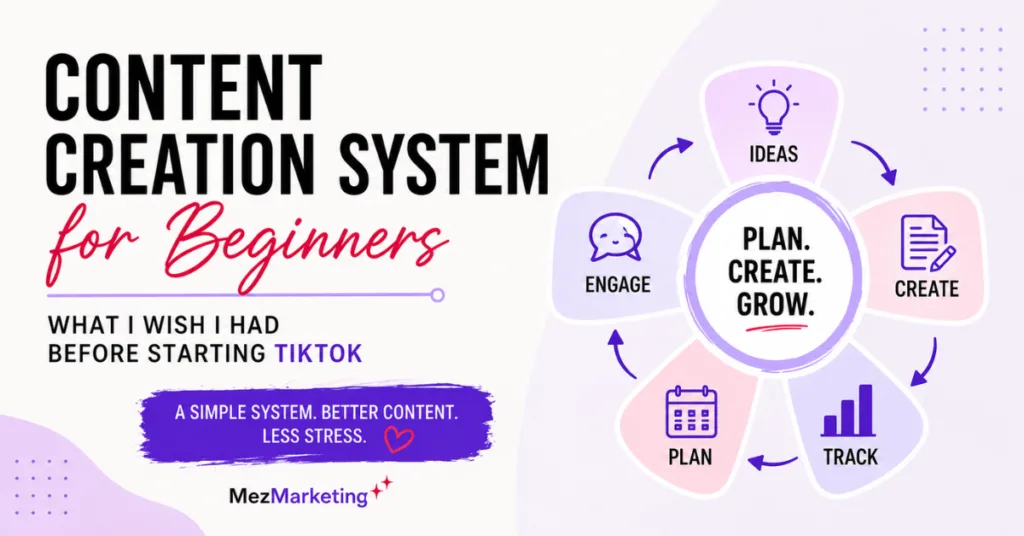
- What I Wish I Had Before Starting TikTok
- Why Beginners Need a Content Creation System Before Posting
- What Is a Content Creation System for Beginners?
- Step 1: Start Your Beginner Content Creation System With Content Buckets
- Step 2: Build an Idea Bank So You’re Not Starting From Scratch
- Step 3: Write the Hook Before the Whole Post
- Step 4: Use Simple Scripts Instead of Winging It
- Step 5: Create Captions and CTAs Before You Post
- Step 6: Batch Content in Small Groups
- Step 7: Track What Is Working
- How AI Fits Into a Content Creation System for Beginners
- The Simple Content Creation System for Beginners I’d Use Today
- Tools That Can Help With This Workflow
- What I Would Do Differently Before Starting TikTok
Quick update: This post was originally inspired by several older posts from my 2024 TikTok journey. I’ve updated it for 2026, focusing on AI tools and content systems and helping busy online entrepreneurs save time.
What I Wish I Had Before Starting TikTok
When I first started on TikTok, I thought TikTok would be the hard part.
Figuring out how to record a video, what buttons to press, what caption to write, which hashtags to use, and how to finally hit publish without overthinking everything felt like a lot.
And let’s be honest, some platforms can be tricky when you haven’t ever used them before, but looking back, TikTok itself was not the real problem. The real problem was that I started posting before I had a simple content creation system in place.
I was trying to figure out ideas, hooks, scripts, captions, posting schedules, engagement, and organization all at once. No wonder it felt overwhelming. That’s like trying to cook dinner, clean the kitchen, grocery shop, and read a recipe all at once.
No, thank you!
If you are trying to post on TikTok, Instagram, Facebook, YouTube Shorts, Pinterest, your blog, or anywhere else online, here is the lesson I wish I had understood sooner. You don’t need to wing it every time you create content.
You just need a simple content creation system for beginners that helps you plan what to say, organize your ideas, create faster, and stop starting from scratch every time you sit down to post.
And with AI tools, that process can be much easier.
Not because AI should do all the thinking for you, but because it can help with the parts that slow you down, like brainstorming, organizing, outlining, scripting, captions, and turning one idea into several useful pieces of content.

Why Beginners Need a Content Creation System Before Posting
When I posted my very first TikTok video, it felt like a huge milestone because I had been overthinking it for weeks, no actually months. At the time, I thought the biggest lesson was, “Don’t overthink it. Just post.”
And honestly, there is truth in that. At some point, you do have to hit publish because you can’t think your way into getting better at creating content. You have to practice, but now I see the bigger lesson.
Posting matters, but posting without a plan can turn into a lot of scattered effort fast.
When I first started, I was trying to learn all the moving pieces at once: hooks, captions, editing, hashtags, TikTok SEO, engagement, posting frequency, and product tags.
That’s a lot for a beginner!
And if you are also building a business, writing emails, working on a blog, promoting affiliate products, testing tools, or just trying to keep up with life, it can get overwhelming quickly.
The issue was not that I needed to work harder.
The issue was that I needed a better content creation system for beginners that was simple enough to use, even when life and business already felt busy.
What Is a Content Creation System for Beginners?
A content creation system for beginners is simply a repeatable process for creating content without starting from scratch every time, and that’s it.
It doesn’t have to be anything wonderful, and it doesn’t need to be a giant spreadsheet with 47 tabs and color-coding that makes you question your life choices.
A Simple Content Workflow You Can Follow
Idea → Hook → Outline or Script → Caption → Visual or Video → Publish → Track
That’s the whole point. Instead of waking up and thinking, “What in the world am I going to post today?” you already have a process to follow.
For beginners, this matters because content creation can feel messy when every post starts from zero. You sit down to create one quick post.
Then suddenly you are trying to decide:
- What topic should I talk about?
- Is this useful?
- What should the hook be?
- Should this be a video, blog post, email, or Facebook post?
- What caption should I write?
- Should I add a call to action?
- What tool should I use?
- Did I already talk about this before?
And just like that, your “quick post” turns into a two-hour project. That is exactly why a beginner content creation system helps.
It gives your brain a simple track to follow, which is really the whole point of a content creation system for beginners. Less scattered thinking, fewer last-minute posts, and a lot less wasted time.
Step 1: Start Your Beginner Content Creation System With Content Buckets
Before I started posting on TikTok, I wish I had made content buckets part of my content creation system from the start. Content buckets are the main topics you talk about over and over again.
They help your content stay focused instead of feeling like a junk drawer full of random ideas, half-finished thoughts, and things you meant to come back to later.
Content Topics That Keep You Focused
For example, if you are an online entrepreneur, affiliate marketer, blogger, or small business owner, your content buckets might be something like this.
- Beginner tips
- Mistakes to avoid
- Tool reviews
- Behind-the-scenes lessons
- Quick tutorials
- Personal experiences
- Product or service education
- Time-saving workflows
My Content Pillars Today
For my current business, I would keep my content buckets focused on things like.
- AI tools that save time
- Content creation workflows
- Affiliate marketing lessons
- Blogging and SEO tips
- Simple systems for busy business owners
- Honest tool testing and results
When I was first starting TikTok, I was focused on learning the platform, posting, growing, and figuring things out as I went. That helped me learn, but if I were starting today, I would not begin with random post ideas.
I would begin with content buckets because when your buckets are clear, your content has a direction.
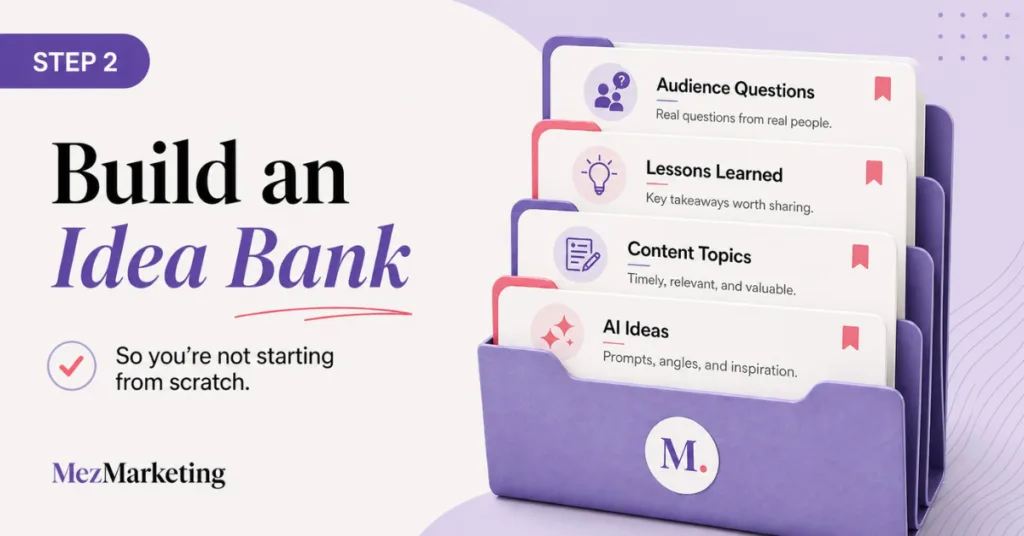
Step 2: Build an Idea Bank So You’re Not Starting From Scratch
One of the biggest time-wasters in content creation is sitting down to try to create something and having no idea what to say. That is when everything starts to feel harder than it needs to.
A simple idea bank fixes that, and it should be one of the first parts of your content creation system for beginners because it gives you a place to save ideas before you need them.
Your idea bank can be a Google Doc, spreadsheet, Notion page, notes app, or even a notebook if you like writing things down. It doesn’t need to be complicated. You just need one place where you collect ideas before you need them.
Content Ideas to Save for Later
Here are some easy idea bank categories:
- Questions your audience might asks
- Problems your audience is struggling with
- Mistakes you have made
- Tools you are testing
- Lessons you learned the hard way
- Blog post sections you can turn into short posts
- Comments or messages from your audience
- Things you wish you had known sooner
- Myths or bad advice in your niche
How AI Can Help With Content Planning
This is where AI can help a lot. You can give ChatGPT, Claude, or Gemini your niche, audience, and content buckets, then ask it to brainstorm ideas.
If you’re using ChatGPT for brainstorming and planning, my ChatGPT Review 2026 breaks down where it helps most and where it still needs your editing.
For example, you could ask AI:
“Give me 30 content ideas for busy non-techy small business owners who want to use AI to create content faster without sounding generic.”
That gives you a starting point, but here’s the important part. Don’t just copy and paste the ideas blindly. Use AI to get unstuck, then choose the ideas that fit your experience, your audience, and your business. AI can hand you the ingredients, but you still decide what dinner is going to be.
Step 3: Write the Hook Before the Whole Post
This is one lesson I wish I had practiced sooner because the hook matters more than most beginners realize. Whether it is a video, email, blog post, or social post, your opening line helps decide if people keep going or scroll away.
A lot of beginners create the whole piece of content first, then add a weak opening at the top like it’s an afterthought. I used to be guilty of this too, so don’t feel like you’re the only one.
Why Strong Hooks Help People Keep Reading
A good hook will make someone think… “Wait, that’s me,” “I need this,” or “I’ve been doing that wrong.”
When I was learning TikTok, hooks came up a lot because the first few seconds matter so much, but honestly, hooks matter on any platform you’re sharing content on. If you can’t draw them in, then they have moved on to the next thing before they even see or hear what you’re saying.
Your blog title, email subject lines, Facebook opening lines, Pinterest text overlay, and the first sentence of a video all do the same job. They give people a reason to pay attention.
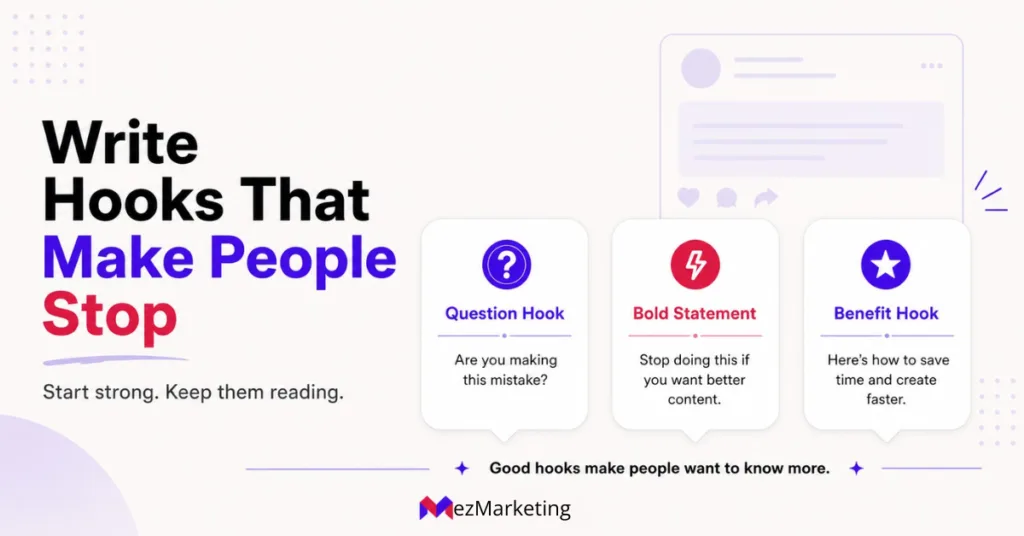
A Simple Hook Formula for Beginners
Looks like this:
Problem → Curiosity → Helpful promise
Here are a few examples:
“Posting every day won’t help much if you have no idea what your content is supposed to do.”
“Before you try another AI tool, fix this one part of your content process first.”
“If content creation takes you forever, your problem might not be motivation. It might be your system.”
“AI can help you create faster, but only if you stop asking it to do everything in one shot.”
See the difference? Those hooks hit a real frustration (pain point) first, which makes people want to keep reading.
Step 4: Use Simple Scripts Instead of Winging It
When people hear the word “script,” they sometimes think it means stiff, fake, or overly polished material. It doesn’t have to be that way. A simple script is just a structure. It helps you know where you are going before you start talking, writing, or recording.
A Simple Script Structure for Beginners
For a short video or social post, you can use this format:
- Hook
- Problem
- Quick lesson
- Example
- Takeaway
- Call to action
That’s it!
Here’s what that might look like:
Hook: “If creating content takes you all day, you may be skipping the planning step.”
Problem: “A lot of beginners open Canva, TikTok, or Facebook with no idea what they are trying to say.”
Quick lesson: “Before creating the post, choose the topic, hook, main point, and CTA.”
Example: “For example, one blog post can become three short videos, one Facebook post, and one email.”
Takeaway: “The goal is not to create more work. The goal is to stop starting from scratch.”
CTA: “Save this if content planning is the part that slows you down.”
That kind of simple structure works for TikTok, Reels, Shorts, Facebook posts, emails, and even blog intros.
Use AI to Organize Your First Draft
This is also where AI can save you a lot of time. You can give it your messy thoughts and ask it to turn them into a simple outline or a few talking points.
But I still would not let AI write the whole thing and call it done.
I would use it to organize the idea, then go back in and make the final version sound like me. That is the difference between using AI as a helper and letting it take over your voice.
Step 5: Create Captions and CTAs Before You Post
Captions are not just extra text you throw in at the end. They help people understand the point of your content. They can add context, reinforce your message, include keywords, and tell people what to do next.
When I was learning TikTok, captions and hashtags were part of the process, but now I look at captions differently when I’m creting content. Captions aren’t just for the algorithm. They’re also for the person reading it.
Captions That Give Your Content a Clear Purpose
A good caption can help someone understand:
- Who the post is for
- What problem does it solve
- Why it matters
- What they should do next
For example, instead of writing:
“Content tips for beginners.”
You could write:
“If you keep sitting down to create content and starting from zero, try building a small idea bank first. It saves time and makes posting feel a lot less scattered.”
That’s much clearer, and it speaks to a real pain point.
Simple CTAs That Guide the Reader
Your CTA matters too.
A call to action doesn’t always have to be “buy this now.” You won’t get far with that tone anyway.
It can be simple, like:
- Save this for later.
- Follow for simple AI tips.
- Read the full blog post.
- Grab my free AI Prompt Toolkit.
- Comment on the part that slows you down most.
- Share this with someone trying to post more consistently.
This is also a natural place to connect your content to your business.
For example, if you are teaching people how to create content faster with AI like I am, your CTA might point them to a free prompt guide, a related blog post, or a tool you have tested.
That way, your content is not just floating around online with no purpose. It’s leading people somewhere helpful.

Step 6: Batch Content in Small Groups
Batching content used to sound overwhelming to me.
I think sometimes people make batching sound like you need to create 30 posts, film 12 videos, schedule your entire month, and become a full-time content machine by Tuesday.
No wonder beginners avoid it, but I’ve learned that batching doesn’t have to be that intense.
A Beginner-Friendly Content Batching Plan
A batching system could look like this:
- Pick one topic.
- Write three hooks.
- Create three short outlines.
- Draft three captions.
- Make one simple graphic.
- Turn one blog section into one social post.
- Save everything in one place.
That is really all batching means. Nothing scary, nothing complicated, just grouping similar tasks together so your brain isn’t bouncing all over the place every five minutes.
If I were starting TikTok today or any platform, I wouldn’t try to come up with every video or text from scratch. I would pick one topic and create a small batch around it.
Example of a Small Content Batch
Topic: AI prompts for better content
From that one topic, you could create:
- One post explaining why vague prompts usually lead to generic content
- A quick tip on what to include in a better prompt
- A simple before-and-after showing a weak prompt versus a stronger one
- A mistake-focused post about what beginners often get wrong with AI content
- A CTA post that points people to your free prompt toolkit
That is a mini content batch, and AI can help you map this out quickly.
You can ask AI this:
“Turn this blog topic into five short social media post ideas with hooks, captions, and CTAs for beginner online business owners.”
Then you review it, delete what sounds boring, rewrite what sounds too much like AI, and keep what you think is useful. That’s how AI should work in your content system.
The whole point is to make content easier and faster, not create another mess you have to clean up later.
Step 7: Track What Is Working
This is the part that beginners skip because it doesn’t feel as exciting as creating, but tracking matters. If you never look at what is working in your content, then you’re just guessing.
You don’t need a complicated analytics dashboard at first, either. Built-in analytics from your website, email platform, and social media accounts are enough to help you spot what is working.
If you have a website or blog, Google Search Console is also worth setting up because it shows which search terms bring people to your site and which pages are getting impressions and clicks.
Simple Content Tracking Metrics
Just track simple things like:
- Which topics got comments?
- Which hooks got clicks?
- Which posts brought people to your site?
- Which posts led to email signups?
- Which content felt easiest to create?
- Which content is connected to your offers?
- Which posts saved you time because they could be repurposed?
When I was learning TikTok, I was focused on posting content, improving my videos, and trying to figure out what connected.
If I were posting there now, I would pay more attention to which content really helped my business, and not just which posts got more views. Views are nice, but they aren’t the whole goal.
If you are a blogger, affiliate marketer, digital creator, or small business owner, your content should help people and support your bigger business goals.
That might mean growing your email list, sending traffic to your blog, helping people understand a tool, or building trust with your audience. The goal isn’t just to post more, but to post with more purpose.
That also lines up with Google’s people-first content guidance, which focuses on creating helpful content for real people instead of creating only to chase clicks or rankings.
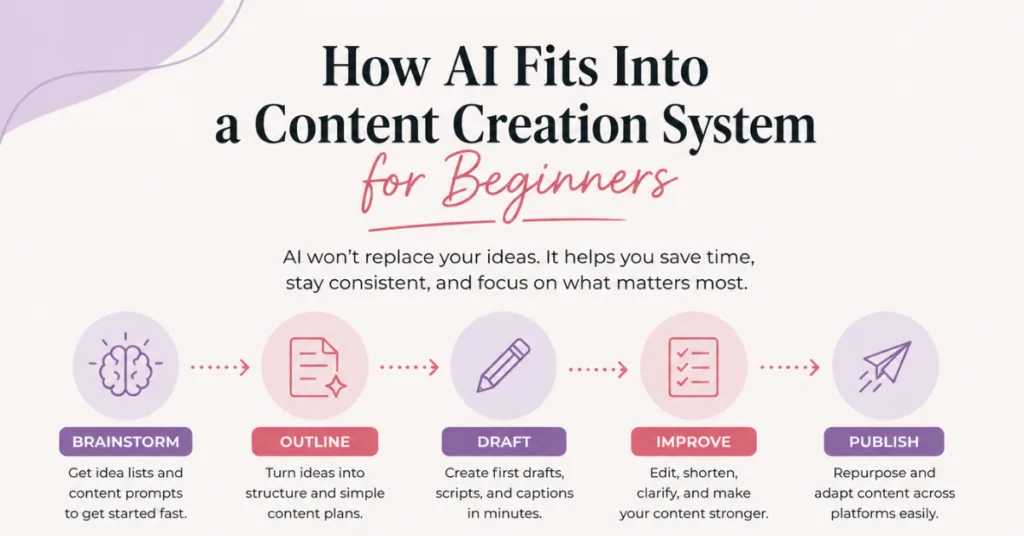
How AI Fits Into a Content Creation System for Beginners
AI can be incredibly helpful in a content creation system for beginners, but only when you use it the right way.
Tasks AI Can Help You Do Faster
AI can help with:
- Brainstorming content ideas
- Organizing messy thoughts
- Creating outlines
- Writing hook options
- Drafting captions
- Repurposing blog posts into social posts
- Creating simple scripts
- Making checklists
- Summarizing long ideas
- Helping you stay consistent
If you’re comparing AI tools for everyday business tasks, my ChatGPT vs Gemini for Small Business post can help you see which one fits better for planning, writing, and organizing content.
What AI Should Not Take Over
AI should not replace:
- Your real experience
- Your opinions
- Your final editing
- Your personal stories
- Your examples
- Your voice
- Your judgment
That last one is big because your judgment is what makes your content useful.
AI can give you ideas, drafts, and captions, but you still know your audience better than any tool does. You know what will really help them, what sounds off, and what you would never say in real life.
That is why I like using AI as a helper, and not a replacement. The goal is not to let AI take over your content. It’s to reduce the blank-page anxiety, organize your thoughts faster, and help you create without wasting so much time.
The Simple Content Creation System for Beginners I’d Use Today
Here is the whole system pulled together in one simple checklist.

1. Pick 3 to 5 content buckets
Choose the main topics you want to be known for.
For example:
- AI tools
- Content creation tips
- Beginner business systems
- Affiliate marketing lessons
- Time-saving workflows
2. Build a 20-idea bank
Use your own experience, your audience questions, blog topics, and AI brainstorming to create a list of ideas. Don’t wait until you need a post to think of one.
3. Choose 3 ideas for the week
Keep it simple. You don’t need to plan your entire life out in one sitting. Pick three ideas that connect to your audience and your business.
4. Write hooks first
Create a few hook options before writing the whole post. If the hook is weak, then the rest of the content has to work harder.
5. Create simple outlines or scripts
Use a basic structure:
- Hook
- Problem
- Lesson
- Example
- Takeaway
- CTA
6. Draft captions and CTAs
Do this before posting so you’re not rushing at the end. Make sure each piece of content has a clear next step.
7. Batch in small groups
Create a few pieces of content at a time around one topic. This saves mental energy and helps your content feel more connected.
8. Track what worked
Look at comments, clicks, saves, email signups, and traffic. Do more of what will help your audience and support your business.
9. Repeat and improve
Your first content system doesn’t need to be perfect. It just needs to give you a starting point. You can improve it as you go.
Tools That Can Help With This Workflow
Since I test AI tools inside real content workflows, I only recommend tools here that fit the goal of this post: saving time and making content creation easier, not adding more work.
You don’t need a million tools to create content. Start with a few tools that help with the parts of your workflow that slow you down.
AI writing and planning tools
Tools like ChatGPT, Claude, or Gemini can help you brainstorm ideas, outline posts, write hook options, create simple scripts, and repurpose content from one platform to another.
The key is choosing a tool that fits with the way you work. Some tools are better for quick ideas, while others are stronger for writing, editing, or organizing longer content.
If you are trying to decide which AI writing tool makes the most sense for your content workflow, I break that down in my ChatGPT vs Claude for Blog Writing comparison post if you want to check it out.
Social media content tools
Social media content can get messy fast when you are trying to come up with ideas, write captions, create visuals, and stay consistent across different platforms.
A tool like Predis.ai can help with social media content ideas, captions, creative post support, and scheduling, so you’re not piecing everything together from scratch every time.
This can be helpful for beginners who want a simpler way to create social content without jumping between too many tools.
Design tools
Canva AI can help you create simple graphics, social visuals, and content templates without needing to be a designer. If simple graphics are part of your content system, I shared my honest thoughts in my Canva AI Review for Small Business Owners if you were thinking of trying Canva out and want to learn more about it.
Video tools
Short-form video can be helpful, but editing, captions, clips, and repurposing content can take up your time really fast. FlexClip can help with simple video editing, templates, and captions when editing is the part that slows you down.
InVideo AI is another option for turning written ideas, blog posts, or scripts into video content faster without starting from a blank screen.
If you want a bigger list of tools I’ve tested, my Best AI Tools for Small Business Owners page is a good place to start.
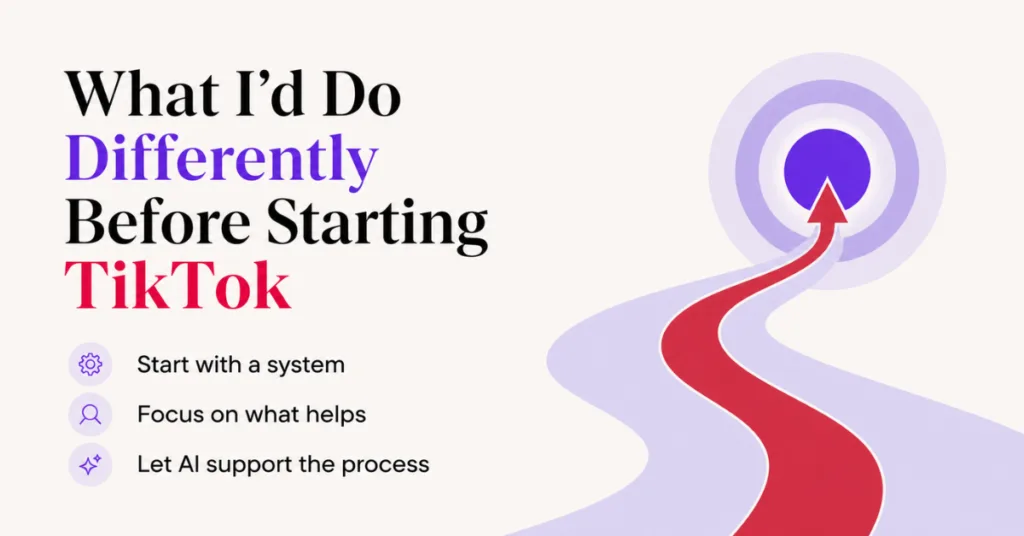
What I Would Do Differently Before Starting TikTok
Start With the System, Not the Platform
If I were going back to the beginning, I would still tell myself to stop overthinking and just hit publish, but I’d also remind myself to stop obsessing over the platform and build the system behind the content first.
Before worrying about posting more, I should have built a simple content creation system first. Looking back, I spent too much time trying to figure out the platform and not enough time building a process that made content easier to keep up with.
AI could have helped me organize my thoughts, speed up the messy parts, and stop treating every post like a brand-new project.
I also would have paid more attention to what helped my business, not just what got attention. That was probably one of the biggest lessons for me.
Content creation can feel harder when every single post starts from zero, but when you have a system in place, you aren’t constantly trying to reinvent the wheel. You’re following a process, and for busy online entrepreneurs, affiliate marketers, bloggers, and small business owners, that matters.
Your time matters, your energy matters, and your content should support your business, not drain the life out of you one caption at a time.
Use AI to Make the Process Easier
That is why a beginner content creation system can make such a difference. It helps you save time, stay focused, and create with more purpose. AI can make that easier too, not by replacing your voice, but by helping you move through the messy parts faster.
If content creation has been taking too long for you, then start small. Pick one part of your process to clean up first, then let AI help with the pieces that slow you down.
You don’t need to make content creation harder than it has to be. You just need a system that helps you keep going.
If you want the deeper TikTok affiliate marketing side of my experience, I shared that separately in my post about testing TikTok for affiliate marketing for six months.
Want Help Putting This Content System Into Practice?
Having a system makes content easier, but sometimes the hardest part is still knowing what to ask AI to help you with.
That’s why I created my Free 25 AI Prompt Toolkit. It gives you ready-to-use prompts to help with content ideas, outlines, captions, and other everyday content tasks without having to figure out the right prompt from scratch.
Grab the free toolkit below and use it with the content creation system you just learned.
We respect your privacy. You can unsubscribe at any time.
Thanks for reading! I hope this helps you stop overthinking every post and start building a content system that will really save you time. Start small, keep it simple, and let AI help with the pieces that slow you down.

Related Posts
How to Use AI to Create Content Faster Without Sounding Like AI
Batch Content Creation with AI: Save 8+ Hours Weekly
ChatGPT Prompts That Work for Better Results: 5 Simple Fixes
Simplified vs. Predis.ai Comparison: Stop Juggling 10 Tools
If this post helped you see content creation more simply, please share it with another entrepreneur who feels stuck, scattered, or overwhelmed about what to post next.




Hi Meredith – This was such a great read. You broke this down in a way that makes it feel simple and doable instead of overwhelming. I can absolutely relate to that feeling of trying to figure everything out at once, and your point about needing a system instead of just pushing harder really makes a lot of sense.
I honestly wish I had seen something like this sooner. It would have saved me from a few unnecessary mistakes and probably helped me learn a whole lot faster. This should be required reading for anyone wanting to post content. I really appreciate you sharing this in such a practical and honest way.
Hey Ernie!
I really appreciate you saying that. I felt the same way when I first started, like I had to figure everything out all at once, and it made it way harder than it needed to be.
Having a simple system really does take so much pressure off because you’re not just guessing every time you sit down to create content.
I’m glad it felt practical and was helpful for you. That’s exactly what I was hoping for. Thanks for stopping by!
Hi Meredith,
You know what I like of your blog posts the most? They’re full of small, concise and easily applicable steps that anyone can master quite quickly.
If only you’d been around with this information when I started!!! LOL!
Seriously though. The breakdown of the steps, the how to get better and more importantly, how getting better makes it easier as you go along makes your blog a definite read in my books.
Thanks for bringing it all together & making it an easy read.
Aww, I love this, Marc! I really appreciate you saying that.
That’s what I’m trying to do with these posts. I don’t want things to feel complicated or like you need a whole marketing degree just to get started. Simple steps are so much easier to use.
And yes, I wish I had this stuff earlier too. It definitely would have saved me from overthinking a few things. Okay, maybe more than a few. LOL.
I’m really glad the breakdown helped and that it felt easy to follow. That means a lot. Thanks!