


If you’ve been blogging for a while, chances are you’ve got a few older posts that make you cringe a little. I know I do. When I first started my blog almost two years ago, I didn’t know much about SEO or keyword research. I just wrote what came to mind and hit publish. The problem? A lot of those posts never had a chance to rank on Google because I hadn’t optimized them. That’s exactly why learning how to update old blog posts for SEO is so important; it can turn those neglected posts into traffic magnets.
Does any of this sound familiar? Well, don’t worry, you’re not alone. The good news is that those old posts don’t have to go to waste. You can go back, give them a refresh, and turn them into traffic magnets. And honestly, updating content is often faster (and smarter) than writing something brand new from scratch.
In this post, I’ll walk you through the steps I’m using to breathe new life into my older content, share what I’ve learned from my own mistakes, and show you how to make Google happy at the same time.
This post is all about how to update old blog posts for SEO and rank higher in Google.
New to this and need direction? Grab our free starter guide here. It breaks everything down into simple steps so you can skip the confusion and get moving right away in your business.
* This post contains affiliate links; I may earn a commission at no additional cost to you. You can find the full disclosure here.
Why Giving Old Posts a Refresh Makes a Big Difference
Here’s the truth: your blog is like a garden. If you ignore your older posts, they wither, but with a little care, new keywords, fresh stats, and updated links; they can grow again and bring in more readers than ever.
This is exactly why learning how to update old blog posts for SEO is so important; it can turn those neglected posts into traffic magnets.
When you update old content for SEO:
- Your posts look more relevant to Google.
- Readers see current, helpful information (which builds trust).
- You save time compared to writing brand new posts.
It’s one of the easiest ways to increase traffic without doubling your workload.
Find Posts That Need Updating
Start by figuring out which blog posts are underperforming. Maybe they’re not getting traffic anymore, or the content is outdated. Tools like Google Search Console or Ahrefs make this easy by showing you posts with low clicks or impressions.
Refresh the Content
Go through your post with fresh eyes. Ask yourself:
- Does this still make sense?
- Are there new stats or examples I can add?
- Can I expand sections to give more value?
This isn’t about deleting everything, it’s about polishing what’s already there.
Optimize for SEO (The Fun Part!)
Here’s where the magic happens.
When you update old blog posts for SEO, focus on:
- Adding your primary keyword (naturally) in the title, first paragraph, subheadings, and conclusion.
- Using long-tail variations like “how to update a blog post” or “how to optimize blog posts for SEO.”
- Writing a keyword-rich meta description that makes people want to click.
- Important: Don’t change the permalink (URL) if the post already has backlinks or is indexed by Google. Changing it can cause you to lose valuable traffic and link authority. If your permalink is messy, keep it as-is and focus on optimizing everything else.
These strategies will help you optimize your older posts, and for even more ideas, Linkilo has a post on updating content to boost SEO that complements what we’ve covered here.
Fix Technical Issues
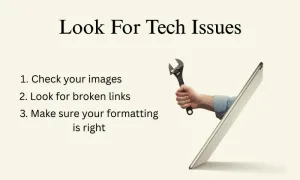
Check your images, links, and formatting. Broken links hurt SEO, and big blocks of text turn readers away. Keep paragraphs short, add bullet points, and make sure your post looks great on mobile.
To make it easier, you can use a plugin like:
-
Broken Link Checker (free, lightweight, scans your site for broken links)
-
AIOSEO’s Broken Link Checker Part of the All in One SEO plugin suite, this tool automatically detects broken links and images, enabling quick fixes to enhance your site’s SEO.
Both tools help you quickly spot and fix bad links without combing through every post manually.
Add Fresh CTAs & Links
Old posts are the perfect place to sprinkle in links to newer content on your blog. Refreshing your CTAs and links not only keeps your content relevant, it also gives your readers more ways to connect with you and explore your latest work. This is one of the simplest ways to turn old traffic into new opportunities for engagement and conversions.
You can also update calls-to-action like:
-
Newsletter sign-ups
-
Free downloads (like the checklist I’ll share with you in a moment)
-
Affiliate links
Update the Date (The Right Way)
Don’t just re-publish as brand new, that can break links. Instead, keep the original publish date. A fresh timestamp signals to both Google and your readers that your content is still current, which can help boost rankings and credibility. Updating the date correctly can also increase click-through rates since people tend to trust and prefer up-to-date information.
Add a little note at the top like this:
“Last updated: August 2025”
It tells Google (and your readers) that the content is fresh without wiping out your history.
Track Your Results After Updating Blog Posts For SEO
One of the biggest benefits of updating old posts is being able to measure the payoff. Tracking your results shows you what’s working, what isn’t, and where you can double down for even better performance. After you update, watch how your post performs in Google Search Console. You’ll often see a nice little bump in clicks and impressions within a few weeks.
Here’s something I wish someone had told me in the beginning:
Optimizing old posts is like compounding interest on your time, it lets past efforts continue paying off long after the original publish date. The real benefit is working smarter, not harder, by making your existing content do more for you.
Ignoring SEO doesn’t mean your blog “fails,” but it does mean you’ll work twice as hard for half the results. That’s why going back to optimize them is worth every bit of effort.
Something important to keep in mind:
while you might see some quick wins from updating old posts, SEO is ultimately a longer game. I know it’s tempting to expect overnight results, but understanding realistic timelines will save you from getting discouraged.
When I first started updating my old content, I was checking Google Search Console daily, wondering why my traffic wasn’t exploding immediately. If you’re curious about what kind of timeline you should expect from your SEO efforts (including updated posts), I dive deep into the real timeline in my post about how long SEO takes to work. Just so you know, some changes can show results faster than you think, but knowing what to look for makes all the difference.
The key is to set proper expectations while you’re doing this important work of refreshing your content. Every updated post is an investment in your site’s long-term success
 What If Your Old Posts Were Never SEO-Optimized?
Yep, that was me too. If you’ve never optimized your older blog posts but want to start, you can follow these simple steps. Although, if you’re ready to dig deeper, you can [grab my full checklist here] for a more detailed guide.
Simple SEO Steps to Refresh Your Blog Posts
you can start here with this list:
-
Pick a primary keyword (use tools like Ubersuggest or Google Keyword Planner).
- Rewrite your title and headings to include it.
- Add the keyword to your intro and conclusion.
- Update your meta description with something catchy and keyword-rich.
- Add internal links to newer posts and external links to reliable sources.
- Don’t forget to update your image alt text.
You can even streamline this process by automating certain blog tasks, like checking for outdated links or scheduling content updates, which saves time and keeps your site performing at its best. Do this consistently, and those “forgotten” posts can start ranking for terms you never thought possible.
I’ve outlined the key steps to updating old blog posts for SEO, but if you want to dive a little deeper, a trusted source other than myself, Orbit Media Studios has a detailed post that highlights best practices, common mistakes, and examples. This post, How to Update Old Posts for SEO: Best Practices, 5 Examples …and One Big Mistake, is a great supplement to the strategies you’ll find here.
Want the Full Step-by-Step Checklist?
I put together The Ultimate Checklist for Updating Old Blog Posts. It’s a free resource that breaks this process down into simple, actionable steps. It even has a bonus section for posts that weren’t SEO-optimized from the start (because hey, I’ve been there too). Just fill in the form below and start turning your old posts into fresh traffic today.
We respect your privacy. You can unsubscribe at any time.
Final Thoughts
Updating content for SEO takes time, but it’s well worth it. Every time you polish an old post, you’re planting seeds that can bring in more readers, more engagement, and more opportunities down the road.
Remember, you don’t have to fix everything overnight. Take it one post at a time. Even small updates can make a big difference.
This post was all about how to update old blog posts for SEO, so now it’s your turn. Go pick one old post, follow these steps, and watch what happens. 🌱
want more actionable advice like this delivered straight to your inbox, you can sign up here for weekly insights that work. These are proven strategies you can implement right away! Plus, you’ll get instant access to my beginner’s guide that steers you clear of the frustrating mistakes I see newcomers make over and over again.
Let’s Hear From You!
I’m curious…
Which old blog post on your site makes you cringe the most, and why? Outdated stats, sloppy formatting, or maybe missing keywords?
If you could tackle one step from this post first, which would it be; refreshing your content, optimizing for SEO, or adding new CTAs and links?
Drop your answers in the comments below. I’d love to swap ideas, cheer on your progress, and help you breathe new life into those posts!
And hey, let’s stay connected. You can follow me on social media here for more tips, checklists, and support. Your wins (even the small ones) deserve celebrating!
Thanks for hanging out today. Whether you’re walking away with a new strategy, a little motivation, or just a friendly reminder that you’ve got this, I’m thrilled to be part of your blogging journey.
Here’s to refreshed posts and fresh traffic! 🌱
To Our Success,

P.S. Share this post with a friend or family member who needs to hear this. It might just be the push they need to finally get started.
Must-Have Tools to Catapult Your Business!
-
The Iceberg Effect – Free copy (just cover shipping)! Unravel affiliate marketing secrets that’ll flip your game. Grab it now!
-
Affiliate Marketing Free Guide – Free, no-fluff guide to ignite your affiliate success in a snap. Get it here!
-
Website Speed Optimization Plan – Free checklist with pro tips and tools to make your site lightning-fast. Download now!
-
Free Report by Dean Holland – Discover why marketers fail online from a million-dollar mentor. Free must-read! Snag it here!
-
Legal Templates for Entrepreneurs – Lock down your biz with pro-crafted legal docs for online pros. Secure yours now!
-
ConvertKit – Skyrocket engagement with email funnels that convert like wildfire. Try it now!
-
Bluehost – Turbocharge your site with fast, secure hosting to dominate the web. Power up here!
-
Amazon Office Equipment & Supplies – Scoop up epic deals on office supplies to fuel your hustle. Shop now!
As an Amazon Associate, I earn from qualifying purchases—at no extra cost to you! 




Hi Meredith,
Seems that every time I read your posts, I get a little smarter! All kidding aside, this post will definitely be a big help for me. I’ve looked at some of my earliest posts and man, I cringe a bit… That being said, I think with your help, I can get smiling again and get them up and running the SEO race that they’d love to be part of!
Thanks for all this fantastic information; it definitely will help me. Cheers!
Thank you so much, Marc! 😊 I totally get the cringing at early posts—it happens to all of us. The good news is every step you take now helps your content grow and perform better. I’m so glad this info is helpful, and I can’t wait to hear about your posts getting into that SEO race! You’ve got this!
Hi Meredith – Oooh, I was hoping you would cover this topic in your SEO series! Like you, when I first started this blogging thing I had no idea what I was doing. And to be honest, I still kind of don’t, although I am learning and getting better at it. I have a lot of blog posts under my belt, and I need to go back and update them for SEO purposes not only as a refresher, but so that other people may see them as they get pushed up on the search bar. Another advantage of updating our blog posts is getting to reread your old material and see how far you’ve come. It’s a nice way to see progress. Thank you for your wisdom and enlightening us with these great ideas!
Hey Ernie! I love that you brought this up… It’s so true that going back and updating old posts is like a little trip down memory lane, but also a smart SEO move. It’s amazing to see how far we’ve come while making our content even stronger for readers and search engines. I’m so glad this series is helpful for you, and I love that you’re seeing progress along the way. It’s such a great feeling, isn’t it? If you ever need any tips on your SEO adventure, just let me know. I would be happy to help!
Meredith, this was such a great reminder 🙌 I’ve definitely got a few “cringe-worthy” early posts that could use some love. I really like how you framed updating content as planting seeds—such a smart way to look at it. The tip about not changing permalinks (even if they’re messy) is something I wish I knew earlier, and the “last updated” note idea is genius. Excited to start refreshing my old posts one at a time—working smarter, not harder! 🌱
Thank you! I’m so glad this is helpful for you. I love the “planting seeds” way of looking at it, too. It makes updating posts feel more like growth than a chore. And yes, leaving permalinks alone and adding that “last updated” note can make such a difference. I’m excited for you to start refreshing your posts. It’s amazing how small changes can have a big impact over time. The best of luck to you!