


Nothing’s more frustrating than watching your website crawl slower than rush-hour traffic while your potential visitors click away faster than you can say “bounce rate.”
Trust me, I’ve felt that pain with my site, constantly working to make it faster. As someone still working on improving my page speed, I understand how frustrating slow loads can be. This post delivers simple, beginner-friendly tips to improve your website speed, keeping visitors hooked and boosting your Google rankings. I’ll share my ongoing journey, including tools I swear by and pitfalls I’m still navigating. Also, you’ll learn to run a quick website page speed test and squash common issues.
This post is all about website speed optimization.
* This post contains affiliate links; I may earn a commission at no additional cost to you. You can find the full disclosure here.
New to this and need direction? Grab our free starter guide by signing up below. It breaks everything down into simple steps so you can skip the confusion and get moving right away.
I promise never to spam you. Your info is safe with me. Check our Privacy Policy for detail
Why Website Speed Optimization Matters More Than You Think
Picture this: you craft amazing content, but visitors bounce because your site drags. That hit me hard when I saw my traffic tank. Since 2010, Google has prioritized site speed, so slow pages crush your rankings. But here’s what most people don’t realize about how long SEO actually takes to work, website speed improvements can boost your rankings much faster than other SEO tactics because they directly impact user experience signals Google measures in real-time.
For me, better pagespeed means engaged readers and stronger SEO. Some days my scores glow green; others, they flop into red. Nevertheless, even tiny tweaks yield big wins. Thus, prioritizing website speed optimization keeps users happy, boosts conversions, and lifts your search visibility. Benefits that grow over time.
Getting to Know Core Web Vitals: The Basics of Pagespeed
Google’s Core Web Vitals are your site’s speed report card. At first, I was lost, but now they’re my roadmap for fixes.
Largest Contentful Paint (LCP)
LCP tracks how fast your main content loads. Google targets under 2.5 seconds. My site’s LCP once lagged at 6 seconds, pushing readers away. By compressing images, I trimmed time, yet I’m still tweaking it daily.
When I started blogging, I had no idea how much website speed could impact my site. Now, with a backlog of older posts, I’m constantly checking to ensure they load properly. Don’t make my mistake, prioritize website speed optimization from the start to save time and keep visitors happy.
Cumulative Layout Shift (CLS)
CLS measures if page elements shift during loading. It’s maddening when buttons move! I fixed mine by optimizing fonts, stabilizing pages, and as a result, keeping users clicking smoothly.
Total Blocking Time (TBT)
TBT shows how long users wait to interact. High TBT means unresponsive clicks. By cutting scripts, I made my site snappier, enhancing user experience significantly.
Mastering these metrics turned my random fixes into focused efforts. Plus, since they tie to Google’s ranking factors, nailing them boosts your site’s visibility. With AI transforming how we approach SEO, understanding the evolving relationship between AI tools and traditional SEO is crucial – but Core Web Vitals remain a foundational ranking factor that no algorithm can ignore.
How to Run a Website Speed Test: My Go-To Free Tools
Before optimizing, you must test your site. Early on, I skipped this and floundered. Now, I rely on these tools daily.
First, try Google PageSpeed Insights. Enter your URL for mobile and desktop scores, plus fix suggestions. As Google’s own tool, it aligns with their website speed test standards.
Next, use GTMetrix. Its waterfall chart spots bottlenecks, like when one image slowed my site by seconds. After a quick tweak, my pages loaded faster.
For WordPress users like me, Google’s Site Kit plugin is a lifesaver. It shows pagespeed in your dashboard with plugin tips. Consequently, I check it weekly to catch issues early.
Here’s a tip: Don’t just test your homepage. I once overlooked slow blog posts, losing traffic without realizing it.

The 7 Biggest Speed Killers and How to Fix Them
After many trials, I’ve pinpointed culprits slowing my site. Here are seven I’ve fought, with fixes to help you start strong.
- Huge Images: Uncompressed photos bloated my load times. Compress them and use WebP for 30-50% faster pages, ensuring happier visitors.
- Too Many Plugins: My WordPress site suffered from plugin overload. I was very guilty of this, always adding something new thinking it would help my website, but in reality, it was hurting it. Be cautious of what plugins you add and how many. Now, I audit monthly, cutting extras to keep things lean and responsive.
- Poor Hosting: Cheap plans can buckle under traffic. Upgrading will give better resources, so your site stays stable during spikes.
- Messy Code: Unminified CSS and JavaScript caused delays. Using auto-minification tools saves time, letting me focus elsewhere.
- No Caching: My server rebuilt pages per visit, spiking loads. After adding caching, I cut that by 75%, saving costs and boosting speed.
- Extra Scripts: Too many trackers can weighed you down. I now limit to essentials and defer loading, speeding up initial renders.
-
Self-Hosted Videos: Big video files will tank your website. By switching to YouTube, you can offload heavy content, letting your site focus on fast-loading core elements.
These steps have advanced my website speed optimization, but I keep checking since issues sneak back.
My 5-Phase Approach to Website Speed Optimization
I’ve developed a simple 5-phase system to tackle website speed, and while I’m still working to perfect my site’s performance, it’s been a game-changer. Below is a quick glimpse of my approach, but if you want the complete, step-by-step checklist with detailed instructions, handy tools, and extra tips I use, sign up for my free Website Speed Optimization Action Plan. It’s the full roadmap to help you speed up your site with ease.
- Start with Testing: Run Google website speed test and GTMetrix to know your baseline.
- Grab Quick Wins: Compress images for instant speed boosts with minimal effort.
- Strengthen Foundations: Set up caching and optimize code for lasting improvements.
- Go Global: Add a CDN to make your site fast worldwide.
- Keep Monitoring: Check weekly to maintain gains and catch issues early.
This approach keeps me moving forward without feeling swamped. Sign up for the full breakdown of each action plan here and start speeding up your site today!
WordPress Website Speed Optimization: My Lessons
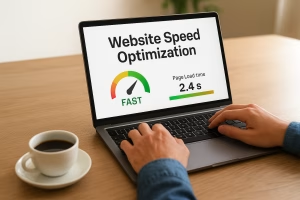 Since my site runs on WordPress, I’ve picked up a few time-saving tricks.
For example:
-
WP Rocket speeds things up by storing a quick-loading copy of your pages (caching).
-
Smush shrinks image file sizes so they load faster without looking blurry.
-
WP-Optimize cleans out old junk in your site’s database automatically.
One thing to watch out for: database bloat. Every time you edit a page or post, WordPress saves old versions (revisions). Over time, these can pile up into the thousands and slow your site. A regular cleanup keeps things running smoothly.
If you’re on Shopify, the same idea applies: remove any apps you’re not really using, and make sure your product images are optimized. A slow site can scare off customers before they even get to your checkout.
Tools That Power My Website Speed Optimization
Beyond basics, these tools stand out:
- Free: Pagespeed Insights, GTMetrix, Pingdom for monitoring.
- Premium: WP Rocket, Cloudflare for advanced caching.
Avoid pricey services; these deliver real results.
Measuring Website Speed Optimization Success
Perfect scores are nice, but real results matter more. I focus on keeping my site loading in under 3 seconds, lowering bounce rates, and climbing higher in search rankings. The idea is simple: as my site gets faster, more people stick around, traffic grows, and the benefits keep stacking up.
Mistakes I’m Still Learning From
I used to chase perfect scores and ended up breaking features. Now, I prioritize function over a perfect 100/100. Ignoring mobile traffic was a big mistake—most visitors are on their phones. And speed? It’s not a one-time fix; it needs ongoing attention.
Advanced Tricks for Better Pagespeed
For bigger wins, CDNs like Cloudflare cut my load times dramatically. Optimizing databases and using server caching adds even more speed. These tweaks build on the basics and really make a site perform. Fun fact: just a one-second delay can drop conversions by 7%. That’s why I’m obsessed with fine-tuning my site. Small changes, huge rewards!
Wrapping Up: Kickstart Your Website Speed Optimization Now
Website speed optimization is transforming my site, even as I keep at it. Run a quick site speed test, fix one issue, and build from there. Soon, you’ll see more visitors and higher rankings.
Ready for my full system? Sign up for your free Website Speed Optimization Action Plan. It’s a step-by-step guide to make your pages fly. Sign up here and let’s speed things up.
It’s a journey, friend. Keep testing, learning, and optimizing. Your website speed will reward you.
If you missed it at the beginning of this post and want more actionable advice like this delivered straight to your inbox, you can sign up here for weekly insights that work. These are proven strategies you can implement right away! Plus, you’ll get instant access to my beginner’s guide that steers you clear of the frustrating mistakes I see newcomers make over and over again.
Let’s Hear From You!
I’d love to know:
- What’s the biggest website speed issue you’re facing right now? Slow images, too many plugins, or something else?
- Which tool or tip from this post are you excited to try first?
Drop your thoughts in the comments below, I would love to connect with you all to help solve those pesky speed problems.
Let’s stay connected! Check out my social profiles here to share your progress, ask questions, or just say hello. I’m all about cheering on your wins and swapping ideas.
Thanks for hanging out with me today. Whether you’re walking away with a new strategy, a spark of motivation, or just a nudge that you’re on the right track, I’m thrilled to be part of your journey.
Until next time!
To Our Success,

P.S. Share this post with a friend or family member who needs to hear this. It might just be the push they need to finally get started.
Must-Have Tools to Catapult Your Business!
-
📖 The Iceberg Effect – Free copy (just cover shipping)! Unravel affiliate marketing secrets that’ll flip your game. Grab it now!
-
📘 Affiliate Marketing Free Guide – Free, no-fluff guide to ignite your affiliate success in a snap. Get it here!
-
⚡ Website Speed Optimization Plan – Free checklist with pro tips and tools to make your site lightning-fast. Download now!
-
📊 Free Report by Dean Holland – Discover why marketers fail online from a million-dollar mentor. Free must-read! Snag it here!
-
📜 Legal Templates for Entrepreneurs – Lock down your biz with pro-crafted legal docs for online pros. Secure yours now!
-
💡 ConvertKit – Skyrocket engagement with email funnels that convert like wildfire. Try it now!
-
🌐 Bluehost – Turbocharge your site with fast, secure hosting to dominate the web. Power up here!
-
🛍️ Amazon Office Equipment & Supplies – Scoop up epic deals on office supplies to fuel your hustle. Shop now!
As an Amazon Associate, I earn from qualifying purchases—at no extra cost to you! 😎




OMG! This is an awesome and useful post. I must think on it and go back and take notes. For instance, some of us are involved in the QR SaaS. My first code isn’t scanning easily or fast. Perhaps some of your suggestions will help. I will ask Dean’s partner, Craig!
Again, this post came at an opportune time!❤️
Hey Kate, I’m so glad this came at the right time for you, and thank you so much! Taking notes is a great idea, and I hope some of the tips help with your QR code issue. So sorry you’re having these problems.. Reaching out to Craig sounds like a good idea, he’ll definitely have good insights. I hope it works out. Good luck!
Meredith
Hi Meredith – This is truly amazing, and I had never, ever, ever considered this topic. I just took it for granted that my load up speed was sufficient. I am going to use the tools that you suggested to test my speed and see if that is any kind of barrier to get me better results. How did you figure this out? This is so good, and I appreciate you alerting me and others on this important topic that many of us don’t even think about! Thank you!
Hey Ernie, thank you so much! I used to overlook it too until I realized how much it can affect results. Once I started digging in, I saw how big of a difference site speed makes. I’m so glad this helped, it’s one of those little things that can really add up!
Meredith
Hi Meredith,
I’m like Kate, this is such an awesome post! Too many things to look at so I’ll definitely have to come back and reread it!
I really never took the time to take a look at the speed at which my website was loading. Thanks for all of this great information.
Hey Marc! I’m glad you found it helpful. Website speed is one of those things that’s easy to overlook, but once you check it, it can make a big difference on how people experience your website. Happy you’ll be coming back to reread, it means a lot!
Meredith